
Tidio Alternative: 7 AI Chatbots Worth Considering in 2026
Most small businesses start with Tidio for a simple reason: it is easy to set up. The chat widget works, basic automation covers the fundamentals, and a team can go live in an afternoon. However, as conversation volume grows, the same questions tend to come up. Can the AI answer from a business’s own product information, not just scripted replies? Will pricing stay predictable as traffic and team size grow? Can the platform handle workflows more advanced than a simple chat script?
These questions are why so many businesses start searching for a Tidio alternative. Executive pressure to adopt AI in customer service is real and growing — a February 2026 Gartner survey found that 91% of customer service leaders feel pressure to implement AI this year, and a follow-up Gartner survey later in 2026 found AI spending among these leaders had jumped 38% even as overall support budgets barely moved (Gartner, 2026). That pressure is pushing teams to look past their first chatbot toward tools that can do more.
The right Tidio alternative depends less on brand names and more on what a business actually needs — deeper AI knowledge, more automation control, or simply better pricing at scale. Some teams switch because their chatbot cannot answer a question that’s already sitting in their help center. Others switch because pricing crept up once conversation volume grew, or because a single chat widget can no longer route requests the way a growing support process demands.
This guide covers why businesses switch, what to evaluate before making a move, and seven Tidio alternatives worth considering, including where a knowledge-driven platform like UChatbots fits into the picture. By the end, the goal is a clear framework for matching a chatbot to actual business needs, not just picking the next popular name on a list.
Why Businesses Start Looking for a Tidio Alternative
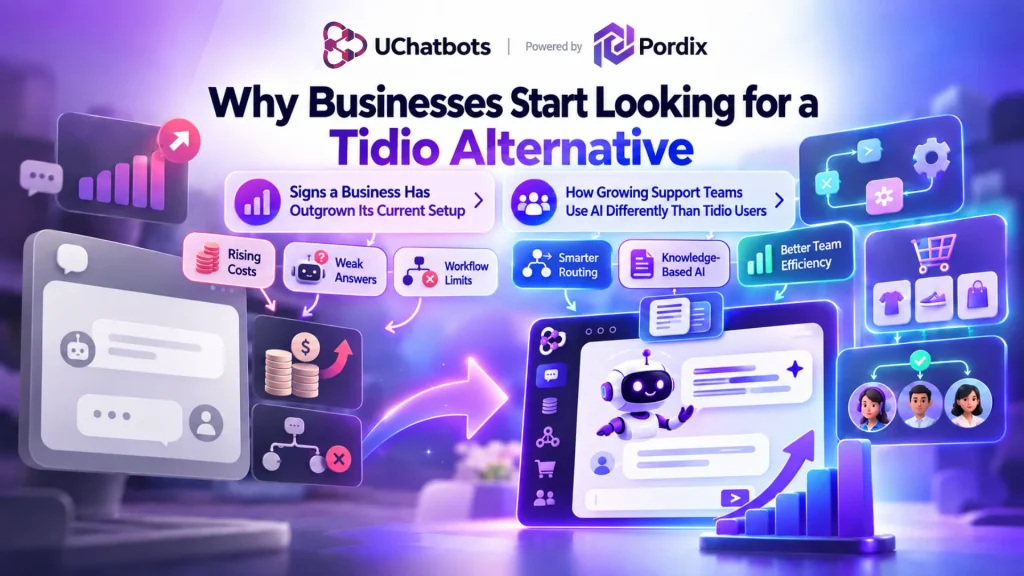
Tidio works well for simple use cases, but growth exposes its limits. Support volume increases, and canned responses start to feel thin. Customers ask specific questions about pricing, policies, or product details that a basic chatbot cannot answer from memory alone.
Tidio pricing can also become less predictable as conversation volume rises, especially once AI-powered replies stack on top of a base plan. That combination — rising costs and shallow AI — is one of the most common reasons teams start comparing a Tidio competitor.
Common reasons businesses look for alternatives include:
- Growing conversation volume that outpaces simple automation
- AI replies that do not draw from the business’s own content
- Unpredictable or scaling pricing as usage increases
- A need for deeper, conditional automation
- Weak handling of ecommerce-specific workflows, covered in more detail in our guide to AI chatbots for ecommerce
None of this makes Tidio a bad tool. It means the right chatbot depends on where a business is headed, not just where it started. Our broader breakdown of chatbot pricing in 2026 walks through how these costs typically scale across platforms.
Signs a Business Has Outgrown Its Current Setup
A few patterns tend to show up before a business actively starts comparing tools. Support agents spend more time correcting or repeating what the bot already said. Customers ask the same handful of detailed questions that the chatbot cannot answer accurately. Alternatively, the monthly bill keeps climbing even though the business has not added new channels.
Any one of these on its own is not a reason to switch — but two or three together usually mean it is worth reviewing a Tidio competitor seriously rather than just adding another automation on top of the existing setup.
How Growing Support Teams Use AI Differently Than Tidio Users
Zendesk’s CX Trends research found that businesses treating AI as a core part of customer experience — not just a chat widget bolted on — saw better outcomes meaningfully, including higher customer acquisition and retention rates (Zendesk, 2025 CX Trends Report).
That gap is often the real story behind a switch: it is less about Tidio failing, and more about a business’s support needs outgrowing a single-purpose widget.
What Makes a Good Tidio Alternative in 2026?
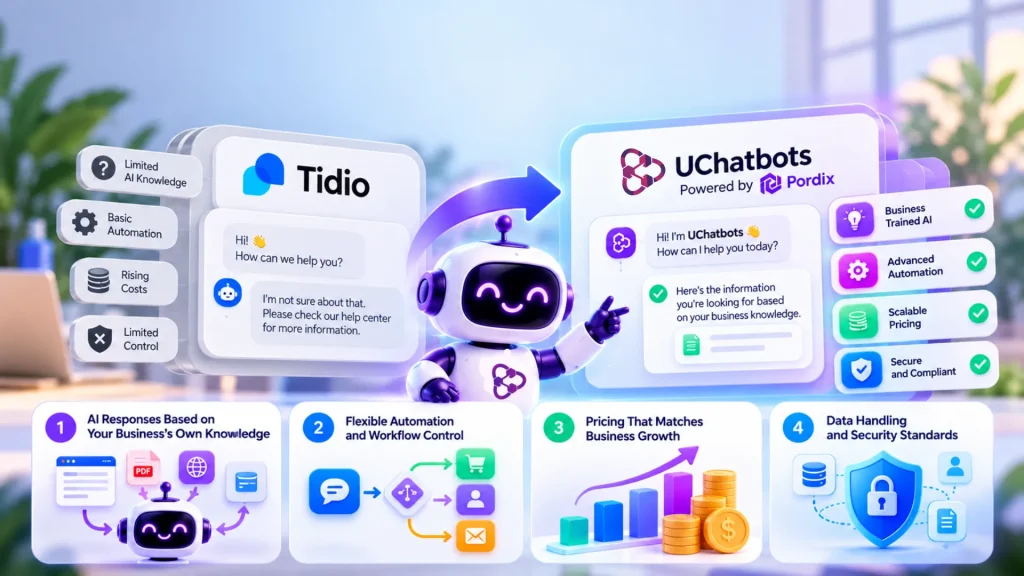
Before comparing specific tools, it helps to define what actually separates a strong AI chatbot alternative to Tidio from a lateral move that solves nothing. Many platforms look similar on a features page — chat widget, automation builder, some form of AI — but differ sharply once real conversation volume and edge cases show up. The four areas below are where that difference usually becomes obvious.
1. AI Responses Based on Your Business's Own Knowledge
A chatbot is only as useful as what it knows. Platforms that pull answers from a website, uploaded documents, or a structured knowledge base give customers accurate, specific responses instead of generic ones.
This is one of the clearest gaps in basic chat widgets, and it is where AI customer support chatbot platforms have moved fastest over the past two years.
2. Flexible Automation and Workflow Control
A good alternative should offer more than a linear chat script. Visual workflow builders, conditional logic, and the ability to trigger actions or hand off to a human agent all matter once support needs get more complex. Our piece on chatbots and human agents working together covers where that handoff line should sit.
3. Pricing That Matches Business Growth
Per-conversation costs, per-seat fees, and AI usage charges can all add up differently depending on the platform. A Tidio alternative worth switching to should make it easier to predict costs as conversation volume grows, not harder — a topic we cover in depth in our AI chatbot pricing guide.
4. Data Handling and Security Standards
Since a chatbot often touches customer emails, order details, or account questions, how a platform handles that data matters for trust as much as for compliance. It is worth reviewing a platform’s security and privacy practices before switching — our guide to chatbot security and privacy outlines the questions worth asking any vendor.
7 Best Tidio Alternatives for Different Business Needs
Each of these tools solves a slightly different problem. The best fit depends on team size, support volume, and how much automation is actually needed. For a broader shortlist beyond this comparison, our roundup of the best AI chatbots for small business is a useful companion read.
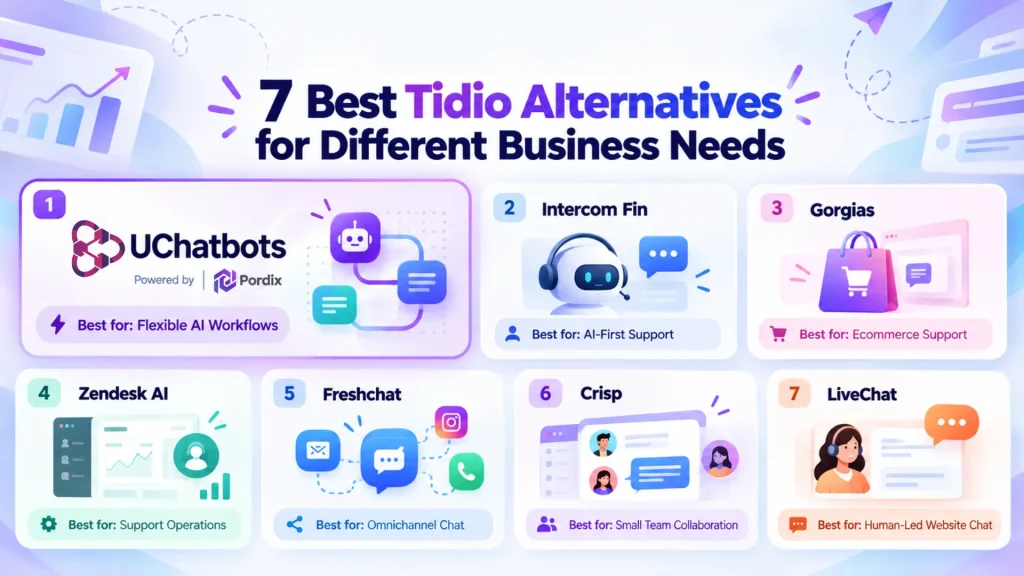
1. UChatbots — Best for Flexible AI Workflows
UChatbots is built around knowledge-based AI responses, meaning it can answer from a business’s own website content, documents, and FAQs rather than relying only on preset scripts. It also supports visual workflow building and multiple AI model options, which makes it a strong fit for businesses that want more control over how their chatbot behaves as needs change.
It integrates directly with existing websites, a process explained in our chatbot integration guide.
2. Intercom Fin — Best for AI-First Customer Support
Intercom’s Fin is built for larger support teams that want AI to resolve tickets rather than start conversations. It fits businesses already using Intercom’s broader support ecosystem, and it tends to make the most sense once a team has enough ticket volume to justify a full platform rather than a standalone widget.
3. Gorgias — Best for Ecommerce Support Teams
Gorgias is designed specifically around Shopify and other ecommerce platforms, with order management and return-handling workflows built in. It suits online stores more than general service businesses — see our ecommerce AI chatbot guide for what to prioritize in that setup, especially around order-status automation and post-purchase support.
4. Zendesk AI — Best for Established Support Operations
Zendesk AI works well for teams already running Zendesk’s ticketing system. It is a natural extension for businesses with existing helpdesk workflows rather than a lightweight starting point, and it benefits from Zendesk’s long track record of published customer experience research.
5. Freshchat — Best for Omnichannel Conversations
Freshchat, part of the Freshworks ecosystem, focuses on unifying conversations across email, chat, and messaging channels in one inbox. It is a reasonable fit for businesses that already juggle several channels and want one shared view of every conversation.
6. Crisp — Best for Small Teams Wanting Simple Collaboration
Crisp keeps things lightweight, with a shared inbox built for small teams that want simple collaboration without a steep setup process. It works best for teams that do not need heavy AI automation yet, just a cleaner way to manage incoming messages.
7. LiveChat — Best for Human-Led Website Chat
LiveChat leans toward live, agent-led conversations rather than AI automation, making it a fit for sales teams that prioritize human interaction over automated replies, particularly in higher-touch B2B sales conversations.
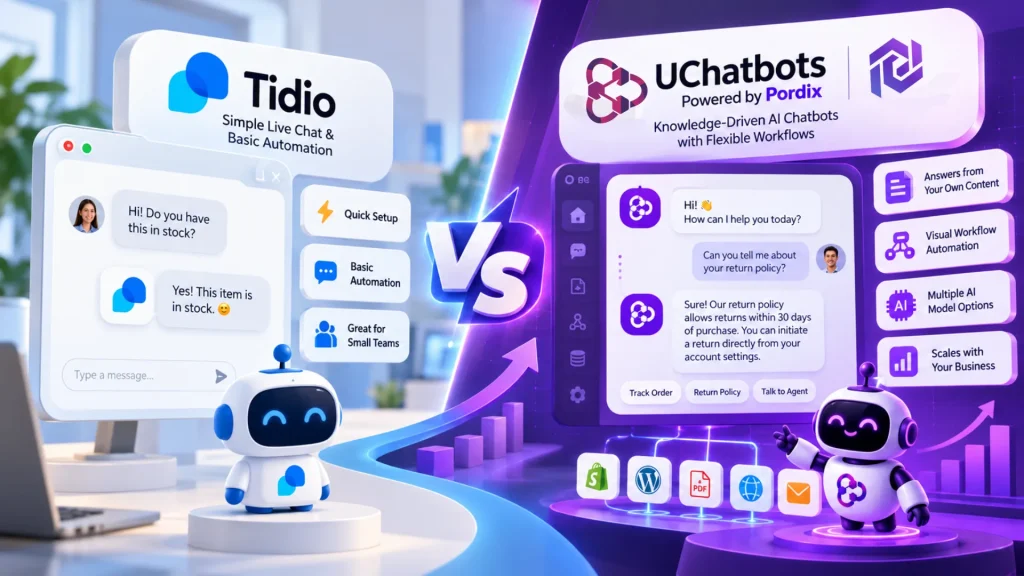
UChatbots vs Tidio: Which Approach Fits Growing Businesses?
Tidio and UChatbots solve different problems, and neither is a strict upgrade over the other.
The Tidio Approach
Tidio combines live chat and basic chatbot automation in a setup that’s fast for small businesses to launch. It works well when support needs stay simple, and conversation volume is low to moderate.
It remains a reasonable starting point for a business that has not yet built out a dedicated support process.
The UChatbots Approach
UChatbots takes a knowledge-driven approach, using a business’s own content to answer questions, alongside visual workflow automation and flexible AI model options. It fits businesses that have outgrown scripted replies and want a chatbot that adapts as workflows change. You can see the full feature breakdown on the UChatbots product page.
The choice comes down to whether a business needs a simple chat experience or a more customizable AI assistant with room to grow. Our explainer on turning static FAQs into conversational AI is a useful next step for teams leaning toward the second option.
Choosing the Right Tidio Alternative for Your Business
A few questions can narrow the decision quickly:
- How large is current support volume, and how fast is it growing?
- Does the chatbot need to answer from the business’s own product or policy content?
- What integrations does the current stack require?
- How complex are support workflows today, and where might they be in a year?
- What is the realistic budget as usage scales, not just at signup?
It also helps to track results after switching rather than assuming a new tool is automatically better. Our guide on measuring AI customer support ROI walks through the metrics worth watching in the first few months, including resolution rate, average handling time, and how often conversations still need a human agent to step in.
It is worth resisting the urge to switch platforms every time a new feature launches elsewhere. Most of the value in a Tidio alternative comes from getting the fundamentals right — accurate answers, predictable pricing, and workflows that match how the team actually works — rather than chasing every new AI capability that gets announced. A platform that solves today’s specific friction points, with enough flexibility to grow, usually beats one chosen purely for its feature list.
The right chatbot is the one that solves the current problem while leaving room for how the business changes over the next year.
Frequently Asked Questions
Q1. What is the best Tidio alternative for small businesses?
It depends on the need. UChatbots suits businesses that want AI answers grounded in their own content, while Crisp fits teams wanting a simple shared inbox with less setup. For a wider comparison, see our list of the best chatbots for small business.
Q2. Is there an AI chatbot alternative to Tidio with better automation?
Platforms with visual workflow builders and conditional logic, like UChatbots, generally offer deeper automation than Tidio’s more linear chat flows, especially for businesses managing multiple support scenarios at once.
Q3. What should I look for in a Tidio competitor?
Focus on how the AI generates answers, how flexible the automation is, whether pricing stays predictable as conversation volume grows, and how the platform handles customer data.
Q4. Can AI chatbots replace customer support teams?
AI chatbots handle repetitive, common questions well, but most businesses still keep a human team for complex or sensitive issues. Gartner’s 2026 research on customer AI use found that customers still expect a clear path to a human agent even when AI handles the first response (Gartner, 2026), which is why the two tend to work best together rather than as a full replacement.
Q5. Is UChatbots a good alternative to Tidio?
For businesses that want AI responses based on their own knowledge base and more workflow flexibility, UChatbots is a strong alternative — especially compared to Tidio’s more basic scripted automation. Full feature and pricing details are on the UChatbots page.
Q6. How long does it take to switch from Tidio to a new chatbot platform?
Most switches take anywhere from a few hours to a couple of weeks, depending on how much existing content — FAQs, product data, past conversation flows — needs to be rebuilt in the new platform. Our chatbot integration guide covers the setup steps in more detail.