
9 Essential AI Chatbot Security Practices to Protect Customer Data
AI chatbots can speed up customer support, cut response times, and help a business handle more conversations at once. But those benefits come with real responsibility. A chatbot may see names, email addresses, order details, account questions, and other sensitive information. That’s why AI chatbot security has to be part of planning from day one, not an afterthought.
A secure and private Ai chatbot experience comes down to a few things: clear data rules, controlled access, responsible data collection, and regular check-ins. Every business should know what its chatbot collects, where that data goes, who can see it, and when it’s time to bring in a human.
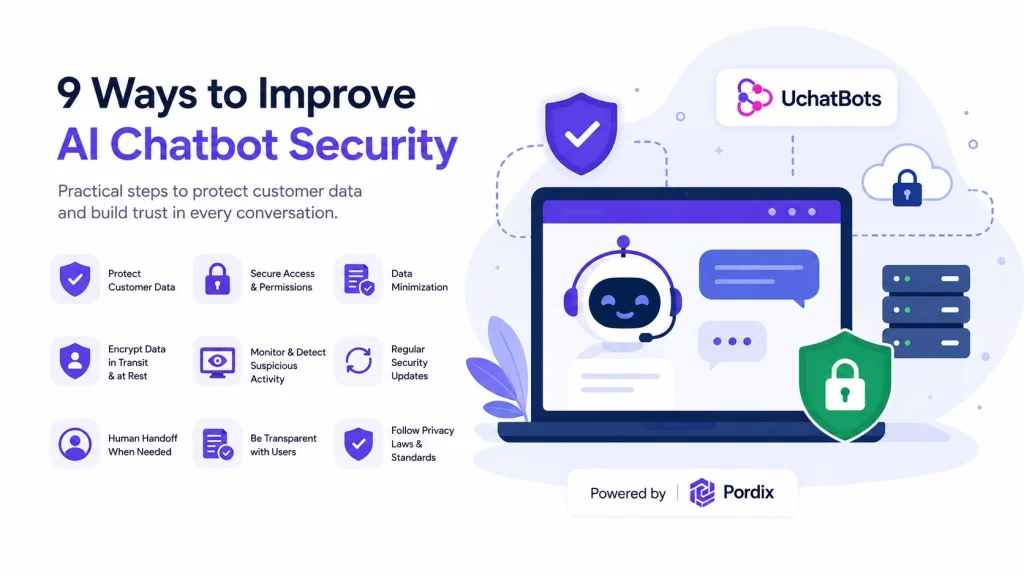
This guide walks through nine practical ways to strengthen AI chatbot privacy, cut avoidable risks, and protect customer data without making support harder to use.
What Is AI Chatbot Security and Why It Matters
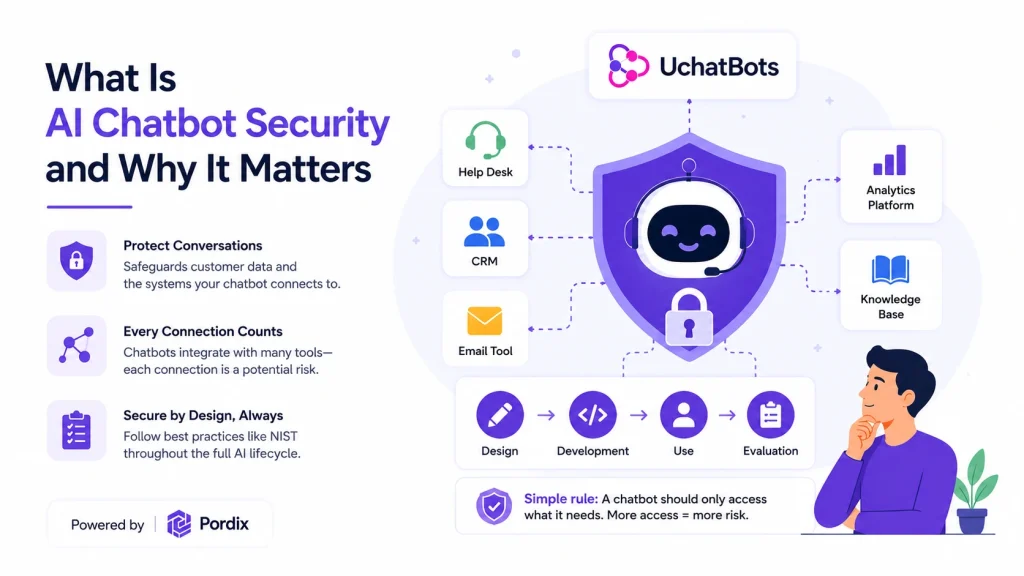
AI chatbot security is the mix of technical controls, internal rules, and regular reviews used to protect chatbot systems, the tools they connect to, and the conversations customers have with them. It matters because a chatbot rarely works alone. It might connect to a help desk, a CRM, an email tool, an analytics platform, or an internal knowledge base. Each connection adds convenience, but it also opens another path data can move through.
NIST recommends managing generative AI risks across the full lifecycle of a system — design, development, use, and evaluation. In practice, that means thinking about security before launch, then revisiting it as the chatbot, its data, and its integrations change. A simple rule works well here: a chatbot should only access what it needs for its job. More access might feel convenient, but it also means more damage if something goes wrong.
The Most Common AI Chatbot Security Risks
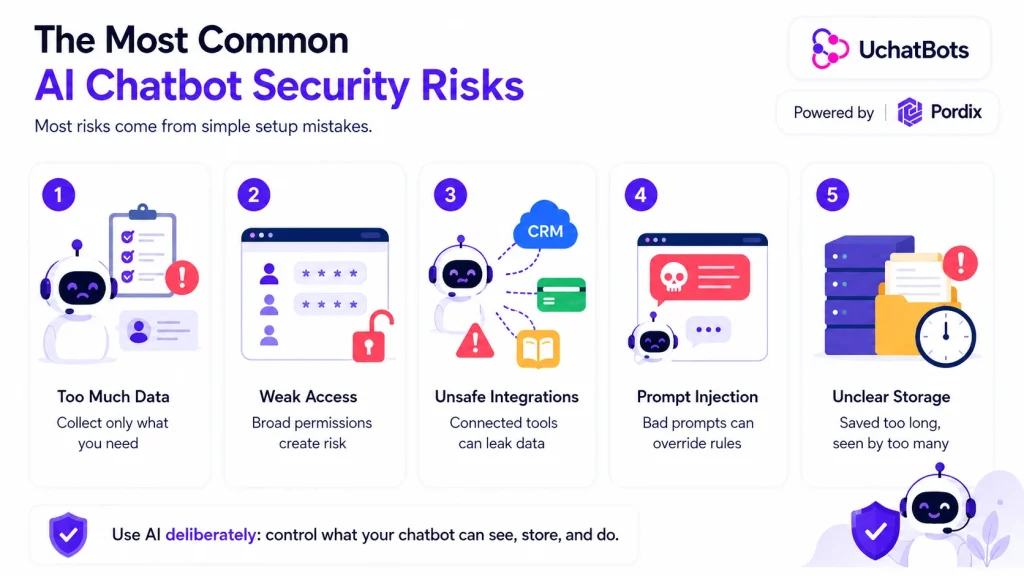
The risks that cause the most trouble aren’t usually advanced hacks. They’re ordinary setup mistakes:
- Collecting too much personal data. Asking for more than the task needs means more to store, manage, and protect.
- Weak access controls. Shared logins, broad permissions, and weak passwords can let the wrong people view conversations or change settings.
- Unsafe integrations. A connection to a CRM, payment tool, or knowledge base can leak data if permissions are too wide or the setup is sloppy.
- Prompt injection. Users can type instructions designed to override the chatbot’s rules, pull out hidden information, or trigger actions it shouldn’t take. OWASP lists prompt injection, sensitive information disclosure, and excessive agency among the top risks for apps built on large language models.
- Unclear storage rules. Customers often don’t know if their conversation is saved, how long it’s kept, or who can see it — and businesses end up holding old data long after it’s useful.
None of this means avoiding AI. It means being deliberate about what the chatbot can see, store, and do.
9 Essential AI Chatbot Security Practices
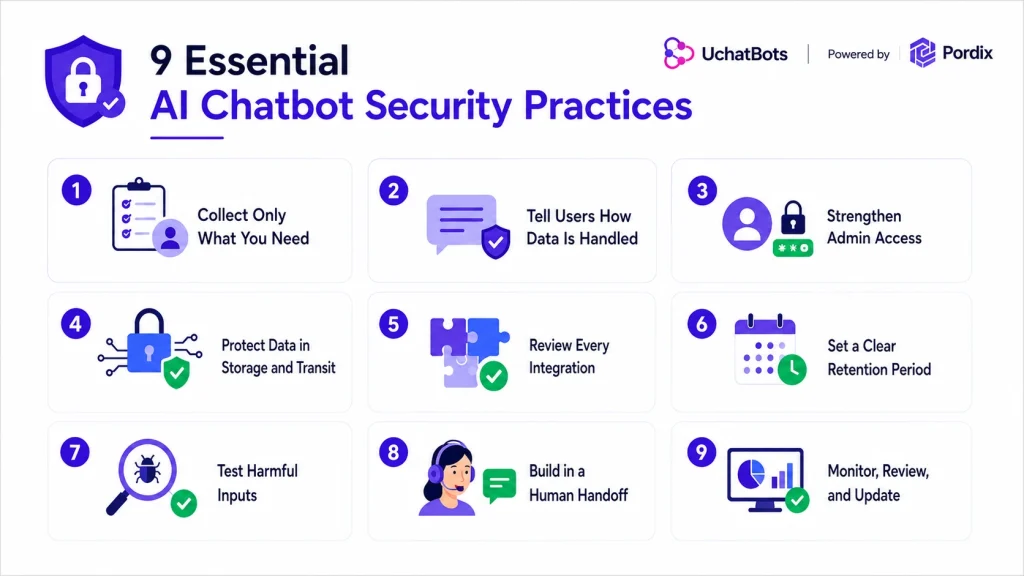
1. Collect only what you need.
Ask for the minimum information required to answer the question or finish the task. The UK Information Commissioner’s Office describes this as data minimization — keeping personal data adequate, relevant, and limited to what’s necessary. A basic product question usually doesn’t need a phone number, address, or date of birth. It also makes life easier if privacy rules change down the road, since there’s less data to worry about.
2. Tell users how their data is handled.
Use plain language to explain what the chatbot collects, why, and whether the conversation is stored. Put this notice somewhere users see it before they share anything personal. A short, clear notice builds more trust than a long legal disclaimer nobody actually reads.
3. Strengthen administrative access.
Give each team member their own account. Match permissions to their role, and turn on multi-factor authentication wherever the platform allows it. CISA recommends MFA for any admin access and for systems that hold customer information. Review who still has admin rights every few months, not just when someone leaves the team.
4. Protect data in storage and in transit.
Ask your provider how they protect data while it’s stored and while it moves between the chatbot and connected tools. Encryption and secure connections help, but also check who controls the access settings, logs, and encryption keys. If a provider can’t explain this clearly, treat that as a warning sign.
5. Review every integration.
List every tool connected to the chatbot and note what each one can read or change. Cut unused integrations, and avoid giving a chatbot full access to a system when it only needs one function from it. Old, forgotten integrations are one of the easiest ways for data to leak without anyone noticing.
6. Set a clear retention period.
Decide how long conversations and customer details should stick around, then delete what no longer serves a purpose. Document any exceptions. Shorter retention windows also mean less exposed if a breach ever happens.
7. Test unexpected and harmful inputs.
Don’t just test the easy questions. Try vague requests, misleading instructions, requests for private records, suspicious links, and prompts designed to change the chatbot’s role. A good chatbot fails safely — it refuses restricted requests instead of guessing or handing over protected information. Run these tests on a regular basis, not just once before launch.
8. Build in a human handoff.
Set clear triggers for moving a conversation to a person — account access issues, refund disputes, legal questions, complaints, deletion requests, or anything unusual. Customers should never feel stuck in an automated loop when they need empathy or real authority to fix something. Make that switch to a person quick and obvious, not buried behind extra steps.
9. Monitor, review, and update.
Check permissions, integrations, conversation samples, and escalation rules on a set schedule. Google’s Secure AI Framework treats security as an ongoing lifecycle task, not a one-time setup. A chatbot that was safe at launch can need changes after new features, integrations, or use cases show up. Set a recurring reminder so this doesn’t quietly slip down the priority list.
How to Evaluate and Manage an AI Chatbot Safely
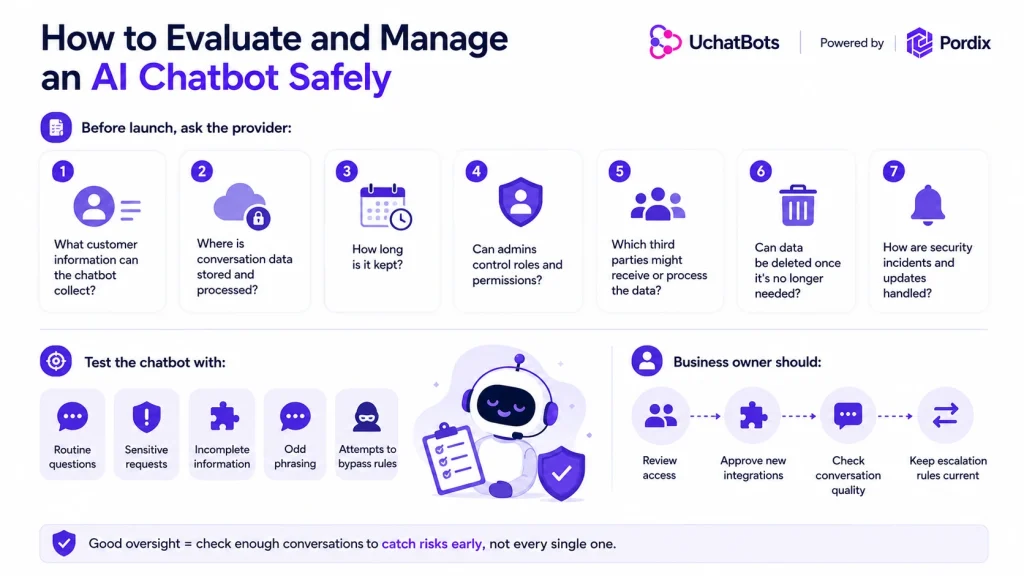
Before launch, ask the provider a short, direct set of questions:
- What customer information can the chatbot collect?
- Where is conversation data stored and processed?
- How long is it kept?
- Can admins control roles and permissions?
- Which third parties might receive or process the data?
- Can data be deleted once it’s no longer needed?
- How are security incidents and updates handled?
Then test the chatbot with realistic scenarios — routine questions, sensitive requests, incomplete information, odd phrasing, and attempts to get it to ignore its own instructions.
Someone inside the business should own this. That person reviews access, approves new integrations, checks conversation quality, and keeps escalation rules current. NIST’s approach to AI risk management leans on ongoing governance and evaluation, which matters most once a chatbot’s knowledge or connected tools start to change over time.
Good oversight doesn’t mean reading every single conversation. It means checking enough of them to catch unsafe patterns, wrong answers, or unnecessary data requests before they become routine.
Try AI-Powered Support the Right Way
UChatBots by Pordix lets you build chatbot flows, connect AI models, automate responses, and integrate the tools your support team already uses. The free trial is a good way to test it before committing to anything long-term.
While you’re testing, look past response speed. Check whether the chatbot’s answers match your approved business information, how it handles sensitive requests, what customer data it actually needs, when it hands a conversation to a person, and how well it fits your current support workflow. Real feedback during the trial also helps surface unclear steps or missing features worth fixing.
Before a wider rollout, run through the nine practices above and review the platform’s current data-handling terms. A short trial period is usually enough to tell whether a platform fits how your team actually works, rather than how it looks in a demo.
Conclusion
AI chatbot security comes down to sensible limits, clear communication, controlled access, safe integrations, human oversight, and regular review. No single setting protects every conversation on its own.
Start with the data your chatbot actually needs. Restrict what it can access, and test how it behaves when a request falls outside its normal role. These steps build stronger chatbot data protection and give customers more confidence in AI-powered support. Security isn’t something to set once and forget — the businesses that stay ahead are the ones that keep checking in as their chatbot and its tools evolve.
Frequently Asked Questions
Are AI chatbots secure?
AI chatbots can be secure when both the platform and the business use the right controls. Security depends on data collection, access permissions, integrations, testing, monitoring, and how fast sensitive requests move to a human.
What information should users avoid sharing with an AI chatbot?
Avoid sharing passwords, full payment details, government ID numbers, private medical records, or confidential business information unless the system is specifically approved to handle it.
Can AI chatbots store personal data?
Some do — conversation history, contact details, or support information. Check the provider’s retention terms, understand where the data is processed, and remove anything no longer needed.
How can a business improve AI chatbot privacy?
Collect less data, publish a clear privacy notice, limit employee access, review connected tools, set deletion rules, and give users an easy way to reach a person.
Where can I try an AI chatbot for my website?
Try UChatBots by Pordix through its free trial. Test it with real support questions, check how it fits your workflow and privacy needs, and decide from there.