
WP Rocket Alternatives in 2026: 4 Tools Compared
You already run WP Rocket. Pages are cached, files are minified, and the site feels faster than it used to. Then you open PageSpeed Insights and see flagged images, a third-party script dragging down interaction time, and a CDN you still have to set up yourself.
None of this means WP Rocket is a bad plugin. It is a strong caching tool, and many sites need nothing more. But every site has different bottlenecks, and sometimes the missing piece sits outside what one caching plugin covers.
This guide is for people in that spot. It compares four tools against WP Rocket: FastMe, NitroPack, FlyingPress and Perfmatters. You will see what each one does, where it differs and when it makes sense to switch. You will also see when it does not. Many WordPress speed optimization tools overlap, so we flag where features double up. For the wider field, our WordPress performance plugin comparison covers more options. If you are weighing a WP Rocket alternative, this is the shorter, buyer-focused version.
Why Look for a WP Rocket Alternative?
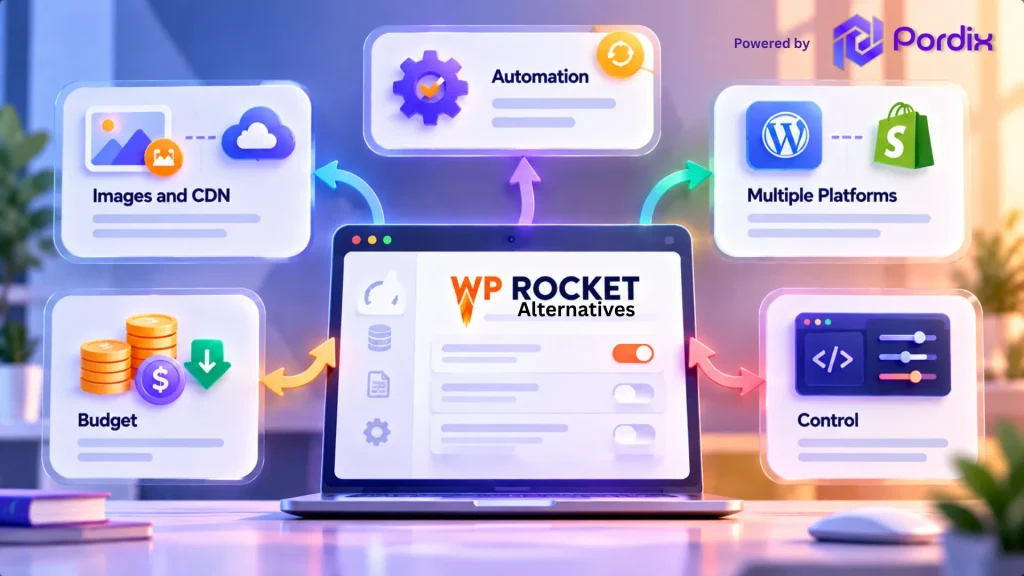
People rarely switch because WP Rocket fails. They switch because their needs change. The common reasons are:
- Automation. They want less manual tuning of cache, file and script settings. Newer WordPress speed optimization tools automate more of that work.
- Images and CDN. WP Rocket’s feature list covers lazy loading and LCP image handling, but not image compression. It offers its own RocketCDN, with limits, or works with a CDN you already use.
- More than one platform. A WordPress-only plugin does not help a client who runs a Shopify store.
- Budget. Licence fees add up across many sites.
- Control. Some owners want to unload individual scripts page by page.
Watch for these signs. PageSpeed Insights keeps flagging images. A third-party script hurts interaction time even with caching on. Or you manage several sites, and licence costs and settings multiply. Any one of these is a fair reason to compare options.
The useful question is not “which tool is best?” It is “what does my current setup still miss?”
WP Rocket Alternatives Compared: Features That Matter
The table compares WP Rocket with the WordPress caching alternatives and add-ons in this guide. It shows what each product’s official page lists today. “Not listed” means we did not find it, not that it is impossible.
| Tool | Page caching | CSS and JS | Images | CDN | Platform | Pricing model |
|---|---|---|---|---|---|---|
| WP Rocket | Yes | Minify, combine, delay, defer | Lazy load, LCP image handling | RocketCDN, or your own CDN | WordPress | Paid licence |
| NitroPack | Yes | Minify, defer, compress | Compress, convert, lazy load | Built in | WordPress, WooCommerce, PHP sites | Paid plans |
| FlyingPress | Yes | Remove unused CSS, delay, defer | Built-in AVIF and WebP compression | Cloudflare integration | WordPress | Paid, 14-day trial |
| Perfmatters | No, pairs with a cache plugin | Delay JS, remove unused CSS, disable scripts | Lazy load | Not listed | WordPress | Paid |
| FastMe | Yes (page, object, browser) | CSS and JS optimization | WebP, AVIF, lazy load | Not listed | WordPress, Shopify | Subscription, free trial |
Read the table by gap, not by tool. If WP Rocket already handles your caching and scripts, look at the Images and CDN columns first. Those are where most switchers find the biggest difference. Pricing changes often, so check each site before you buy. Also remember that scores and Core Web Vitals optimization depend on your theme, hosting, plugins and content, not only on the tool. Our guide on how to improve Core Web Vitals in WordPress covers the fixes that tools cannot make for you.
4 WP Rocket Alternatives Worth Considering in 2026
1. FastMe
FastMe comes from Pordix, the company behind this site, so we have been plain about its limits. Pordix presents it for WordPress and Shopify stores. Its product page lists page, object and browser caching, WebP and AVIF image conversion, lazy loading, database cleanup, and a dashboard that tracks speed scores and results.
The main difference from WP Rocket is images. FastMe lists image conversion, which WP Rocket’s feature page does not. It also appeals to agencies that manage both WordPress and Shopify clients and want one workflow for website performance automation. One fairness note: WP Rocket now has a free performance hub called Rocket Insights, so a dashboard alone is not a reason to switch.
Inside the dashboard, FastMe says you can see speed scores, optimization results, caching status and image improvements in one place. That helps if you want to see what changed after each setting. Two limits apply. FastMe does not list a CDN so that you would use your host or another service. And as a newer product, it has less independent testing behind it than WP Rocket. Check the current FastMe pricing and platform details before you commit.
2. NitroPack
NitroPack runs as a cloud service. Caching, image optimization, code minification and a built-in CDN come in one package, and it says its CDN covers more than 100 countries at no extra cost. It also supports WooCommerce and PHP-based sites through an SDK. In a WP Rocket vs NitroPack choice, the real split is local plugin versus cloud service. NitroPack covers images and a CDN without adding tools. The trade-off is that you rely on an outside platform and pay for ongoing plans. NitroPack publishes its own comparison with WP Rocket, which is worth reading as a vendor view, not a neutral one.
NitroPack says it optimizes copies of your files, so your originals stay untouched, and it offers a 14-day money-back guarantee. That makes a trial lower risk, though you should still test on staging first.
3. FlyingPress
FlyingPress is the closest match to WP Rocket in spirit. It handles page caching, preloading, unused CSS removal, script delay and defer, database optimization and Google Fonts optimization. It also compresses images to AVIF or WebP and tracks Core Web Vitals from real users.
That makes it a fit for WordPress owners who like the plugin approach but want image compression built in. It offers a 14-day free trial. Its limit is scope: it is WordPress-only and paid, so it is a swap, not a way to cut tools or cost. FlyingPress also says it can cache pages in Cloudflare without a paid Cloudflare APO subscription, which helps if you already use Cloudflare.
4. Perfmatters
Perfmatters is not a caching plugin, and it does not claim to be. It lets you turn off scripts on individual posts and pages, delay JavaScript, remove unused CSS, lazy load images and videos, and host analytics locally. Its site says it is designed to work alongside your caching plugin.
So it complements WP Rocket more than it replaces it. It suits developers and plugin-heavy sites that need script-level control. Its limit is knowledge: you must know which scripts are safe to switch off. Both tools can delay JavaScript, so keep each feature active in only one of them. Its dashboard uses simple one-click toggles, and it says the plugin adds no JavaScript to your front end. That keeps it light, but it also means it will not do the caching job for you.
Which WP Rocket Alternative Fits Your Website?
Match the tool to your site, not to the longest feature list.
- Blogs and small sites: If pages are cached and scores are fine, you may not need to switch. If images are the weak spot, FlyingPress or FastMe add compression.
- WooCommerce and online stores: Cart, checkout and account pages must stay out of the cache. WP Rocket excludes sensitive pages automatically, and any tool you pick needs the same care. Test a full purchase after every change. Our guide on speeding up the WooCommerce checkout page explains why.
- Agencies and multi-platform work: A WordPress-only plugin will not cover every client. FastMe is presented for WordPress and Shopify, and NitroPack supports PHP-based sites. Confirm the setup for each platform before you promise results.
- Developers who want control: Keep a cache plugin and add Perfmatters for script unloading. Change one setting at a time and test.

Before You Switch, and When to Stay With WP Rocket
A short checklist avoids most switching problems:
- Record your current PageSpeed Insights and Core Web Vitals results.
- Back up the site and test the change in staging.
- Never run two caching tools at once. Deactivate the old one and clear all caches, including host and CDN caches.
- Check checkout, forms, menus and popups.
- Test mobile and desktop.
- Compare real-user data over several weeks, not one lab score. Google’s Web Vitals guide explains the difference. Core Web Vitals optimization is a long game.
A safe order works well. Pick a quiet time: Deactivate WP Rocket and clear every cache. Activate the new tool with default settings first. Then turn on one feature group at a time and retest your key pages after each one. If something breaks, you know exactly what caused it. Switching is not automatically an upgrade. If WP Rocket runs reliably, your results meet your goals, and it fits your hosting, a change adds work and risk for little gain. A fair comparison should tell you when not to buy another product. Find the real bottleneck first. It might be hosting, a heavy theme or oversized images, not your plugin.
For example, a brochure site on good managed hosting, with cached pages and healthy real-user data, gains little from a new plugin. A store with heavy product images and a slow Largest Contentful Paint may gain much more.
Final Thoughts
Choosing a WP Rocket alternative comes down to one question: what is your setup missing? If it is images and a CDN, NitroPack bundles both. If you want a similar plugin with image compression, look at FlyingPress. If you need script-level control, add Perfmatters. And if you want one guided workflow with a dashboard, explore FastMe, which is aimed at website performance automation. The strongest choice is rarely the tool with the longest feature list. It is the one that fixes your actual bottlenecks without adding complexity. Whatever you pick, test it on your own pages. Speed also affects more than scores, as our piece on performance-driven SEO and ROI explains.
Frequently Asked Questions
Q1. What is the best alternative to WP Rocket?
There is no single best option. NitroPack suits a cloud-based, hands-off setup. FlyingPress is closest to WP Rocket as a WordPress plugin, with image compression built in. FastMe suits a guided dashboard approach. Pick based on what your site is missing, then test it.
Q2. Is there a free alternative to WP Rocket?
Yes. LiteSpeed Cache is free and works best on LiteSpeed servers. W3 Total Cache also has a free version. The tools in this guide are paid, though some offer trials or refunds. Free tools save money but can take more setup time. See our full plugin comparison.
Q3. Is NitroPack better than WP Rocket?
Not always. In a WP Rocket vs NitroPack decision, NitroPack is a cloud service with a built-in CDN and image optimization so that it can cover more with less setup. WP Rocket is a local plugin with more control on your own server. Which is better depends on whether you want a service or a plugin.
Q4. Can I use Perfmatters and WP Rocket together?
Yes. Perfmatters is designed to work alongside a caching plugin. Both can delay JavaScript, so turn that feature on in only one of them to avoid conflicts. Test after every change.
Q5. Will switching from WP Rocket improve Core Web Vitals?
Not by itself. Core Web Vitals optimization depends on your theme, hosting, images and scripts, not only the plugin. A switch helps when it fixes a real gap, such as uncompressed images or a missing CDN. Measure before and after with real-user data.