
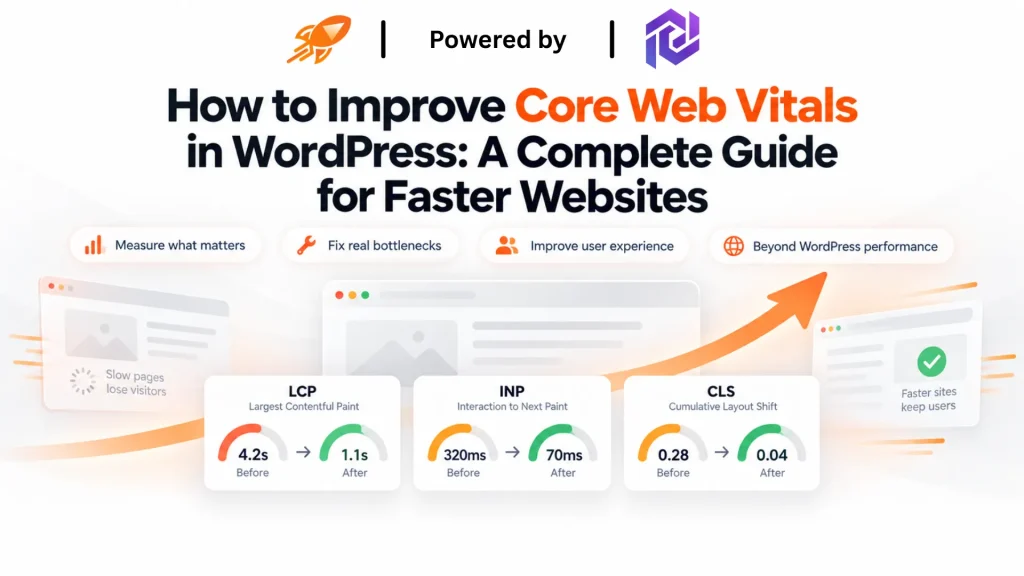
How to Improve Core Web Vitals WordPress: A Complete Guide for Faster Websites
You click a link, the page starts to load, and you wait. A second passes. Then another. By the time the content finally settles into place, you’ve already moved on. It’s a small moment. Most site owners never see it happen on their own pages. But Google saw it happen often enough, across millions of sites, that it built the moment into a ranking signal called Core Web Vitals.
If you searched for how to improve Core Web Vitals in WordPress, you’re probably staring at a Search Console report full of red or orange scores. You want to know what’s causing it. You want to know what to fix first. That’s a fair place to start. WordPress sites run into this problem more than most. But the fix isn’t really a WordPress-only story. It’s a website performance story, and WordPress is just where a lot of people first run into it.
This guide covers three things. What Core Web Vitals actually measure. Why WordPress sites tend to struggle with them. And what a real fix looks like, whether your site runs on WordPress, Shopify, or custom code. Along the way, we’ll look at where a platform like FastMe fits in, as a broader performance solution, not a plugin built for one CMS.
The Core Web Vitals Problem: What Google Is Actually Measuring
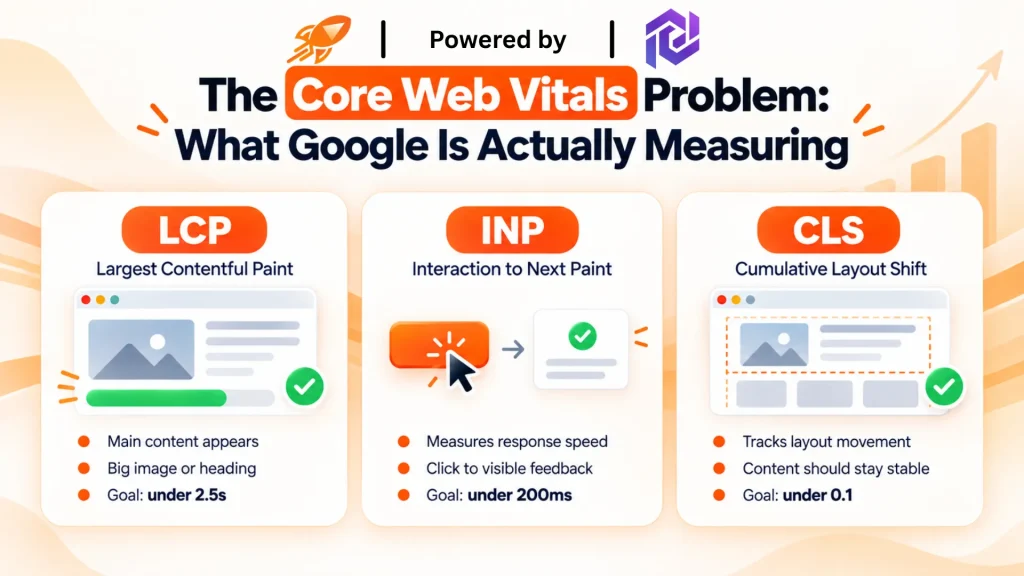
Core Web Vitals are three metrics Google uses to judge what it’s really like to visit a page. They cover how fast the main content appears, how quickly the page responds to a click, and how much the layout shifts while it loads. Google folds these into its page experience signals. They play a role in search rankings, right alongside content quality. You can read the official breakdown on Google Search Central’s Core Web Vitals documentation. The more technical side is covered in Chrome Developers’ Web Vitals guide.
Here’s what the three metrics cover.
Largest Contentful Paint (LCP)
LCP measures how long it takes for the biggest visible element on the page to render fully. That’s usually a hero image, a product photo, or a main heading, whichever piece of content dominates the screen first. To a visitor, this is the moment the page stops looking blank or half-built and starts looking like something they can actually read.
Google considers anything under 2.5 seconds good, and slow image loading or a sluggish server are the two most common reasons LCP drags.
Interaction to Next Paint (INP)
INP measures how fast a page responds after a click, tap, or keypress, from the moment someone acts to the moment they see something happen on screen. Anything under 200 milliseconds feels instant. Beyond that, users start to notice the lag, and it registers as the page feeling stuck or unresponsive even if it technically still works.
Heavy JavaScript is almost always behind a poor INP score.
Cumulative Layout Shift (CLS)
CLS measures how much content jumps around while a page loads. Images usually cause it without set dimensions, fonts that swap in late, or ads and embeds that push content down after the fact.
A score under 0.1 keeps the page feeling stable, which matters most in the first second or two, right when someone is trying to read or click something before it moves.
None of these metrics care what platform built the page. A slow LCP on WordPress and a slow LCP on Shopify look identical to a visitor and to Google. That’s the part most guides skip past.
Website Performance Fundamentals: What Actually Slows a Site Down
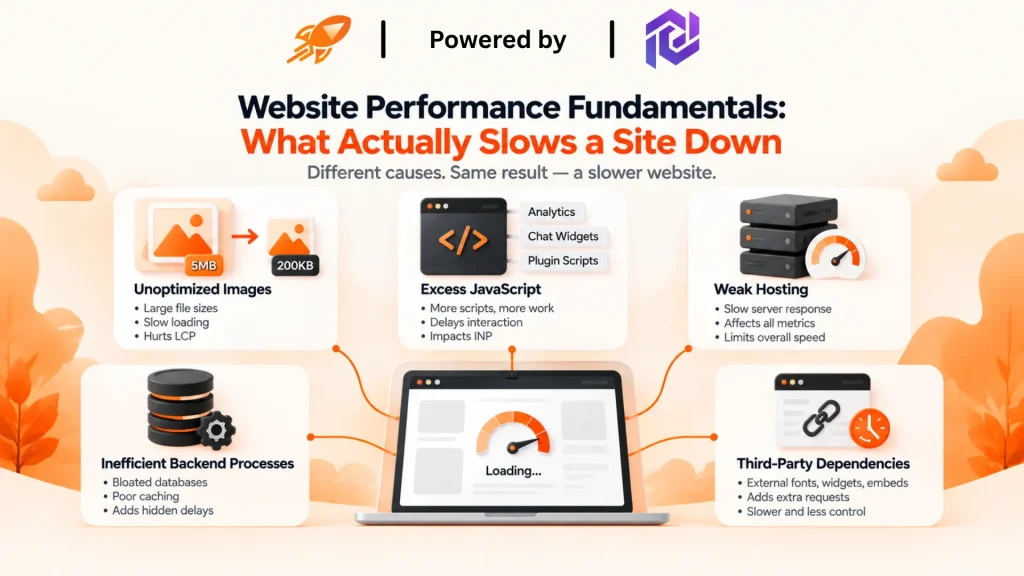
Before getting into fixes, it helps to see the pattern behind most Core Web Vitals problems. Many website owners find out the hard way that passing Core Web Vitals takes more than a caching plugin or a faster host. The real cause is usually a mix of things working against each other at once: scripts, hosting limits, database load, and loading patterns that all pile up together. It’s rarely just one problem, which is why a single fix rarely solves it on its own.
A few fundamentals show up on almost every slow site, no matter what runs it:
- Unoptimized images. Large, uncompressed files are still the biggest driver of slow LCP.
- Excess JavaScript. Every script adds work. Analytics tags, chat widgets, and plugin features all make the browser wait longer before it can respond to a click.
- Weak hosting. A slow server drags down every other metric, no matter how well the front end is optimized.
- Inefficient backend processes. Bloated databases and poor caching add delay you can’t see until you measure it.
- Third-party dependencies. Fonts, widgets, and embeds loaded from outside servers add delay you can’t fully control.
These fundamentals apply to a blog, a store, or a custom-built app. The specific fix changes by platform. The root cause usually doesn’t.
Platform-Specific Challenges
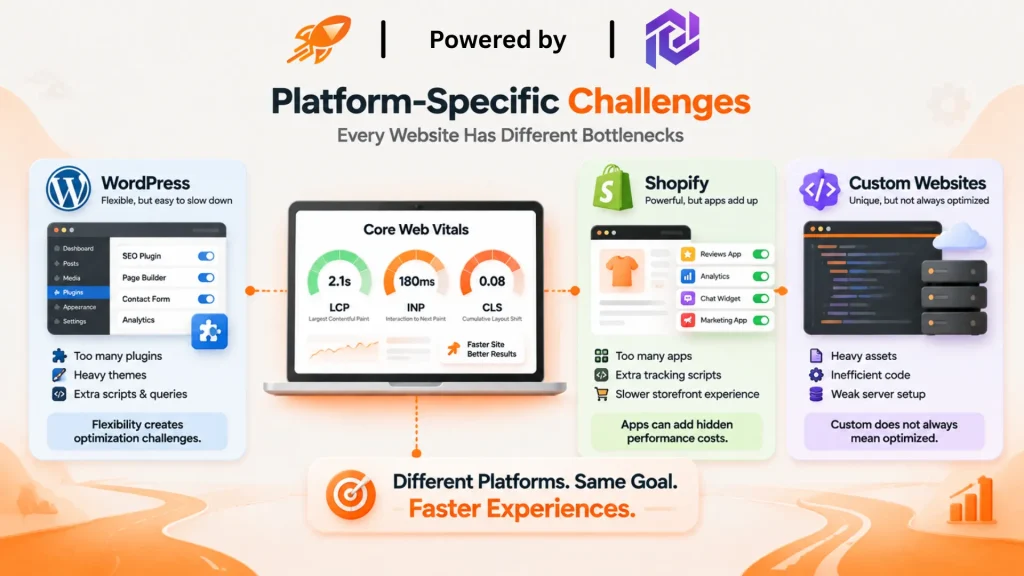
Once you understand the fundamentals, it’s worth looking at how each major platform runs into them differently.
WordPress
WordPress powers a large share of the web. That same flexibility is exactly why performance issues creep in. Themes ship with more features than most sites use. Plugins each add their own scripts and database calls. It’s common for a site to run a dozen or more plugins that got installed once and never checked again.
None of this means WordPress is a poor platform for performance. The WordPress Performance Team has worked on core-level fixes for years, and a lot of the groundwork happens quietly in the background of every update. Their Performance Team Handbook is a good resource if you want to see what’s fixed at the platform level, versus what’s still left for site owners to manage on their own.
Shopify
Shopify stores run into a similar problem through apps instead of plugins. Every installed app can add its own script. Stores running ten or more integrations often carry a real performance cost. Nobody notices until checkout speed starts to slip. Shopify’s own Web Performance documentation shows how this appears in their built-in reporting.
For ecommerce sites, this matters more than it might seem. A slow checkout can change a customer’s mind in the moment. That’s a sale that’s hard to win back once hesitation sets in. If you run WooCommerce, our guide on how to speed up a WooCommerce checkout page covers this exact scenario in more detail.
Custom-Built Websites
Custom sites aren’t exempt either. Inefficient code, heavy assets, and weak server setup can create the same LCP, INP, and CLS problems seen on WordPress or Shopify. The root causes look different. A developer who skips performance testing can still ship a site that looks great in a demo. It can still fail Core Web Vitals the moment real traffic hits it.
A Universal Approach to Core Web Vitals Optimization
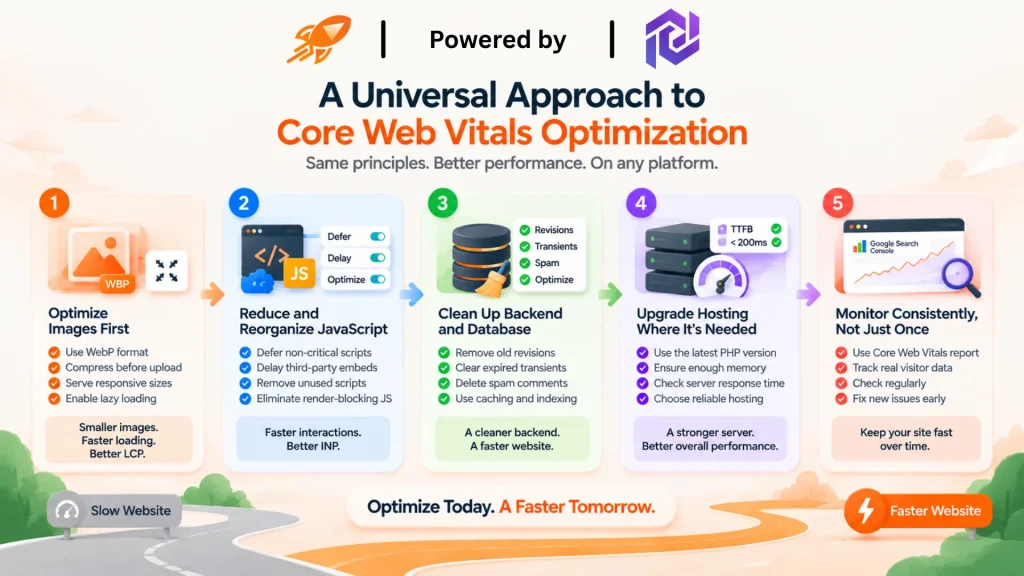
The good news is that the fix follows a fairly consistent path across platforms. Here’s how to improve Core Web Vitals in WordPress specifically. These same steps apply just as well anywhere else.
1. Optimize Images First
Images are still the most common reason LCP scores fail, and they’re usually the easiest fix. Convert large files to WebP, compress everything before upload, and serve responsive sizes so mobile visitors aren’t downloading a desktop-sized image meant for a large screen. Lazy load anything below the fold so the browser isn’t wasting time on content nobody’s scrolled to yet.
Running a page through Google’s own PageSpeed Insights tool will usually flag oversized images as the single biggest opportunity, which is a good sign this is where to start, not just a guess.
2. Reduce and Reorganize JavaScript
INP problems almost always come down to a browser stuck processing scripts instead of responding to a click. The fix is to defer scripts that don’t need to run right away, delay third-party embeds like chat widgets or ad tags until after the main content loads, and remove anything that isn’t actually doing a job on the page anymore.
Render-blocking JavaScript, in particular, is one of the most consistent culprits Lighthouse and PageSpeed Insights point to in slow-page audits, so it’s worth checking that report before guessing which scripts to touch first.
3. Clean Up Backend and Database Performance
This is the step most site owners skip, mainly because it doesn’t show up as clearly as a slow image does. On WordPress, that means clearing old post revisions, expired transients, and spam comments on a set schedule, since years of accumulated data can slow down every query the page makes.
On other platforms, it usually means auditing app or plugin data that piles up quietly in the background without anyone checking it. Object caching and database indexing both help here too, and they’re worth asking a developer or host about if database cleanup alone doesn’t move the needle.
4. Upgrade Hosting Where It's Actually the Bottleneck
Software fixes only go so far if the server itself is slow to respond. Run a current PHP version if you’re on WordPress, since older versions process requests noticeably slower. Make sure your hosting plan has enough memory for your plugin or app stack, and check your server response time directly.
This is usually reported as Time to First Byte (TTFB), a supporting metric that Google’s PageSpeed Insights shows alongside Core Web Vitals, and a slow TTFB drags down every other fix on this list before the page even starts rendering.
5. Monitor Consistently, Not Just Once
A one-time cleanup fixes today’s problem, but new plugins, apps, and content keep adding weight over time, which is why performance tends to drift back down a few months after a big optimization push. The Core Web Vitals report inside Google Search Console is a straightforward way to keep an eye on this over time, since it’s built from real visitor data rather than a single lab test.
Checking it on a regular schedule, rather than only when rankings dip, is usually what separates a site that stays fast from one that needs the same fix repeated every year.
Working through these five areas covers most of what it takes to improve Core Web Vitals in WordPress, on Shopify, or on a custom build. None of it requires a full rebuild.
Why FastMe Is a Smarter Way to Improve Website Performance
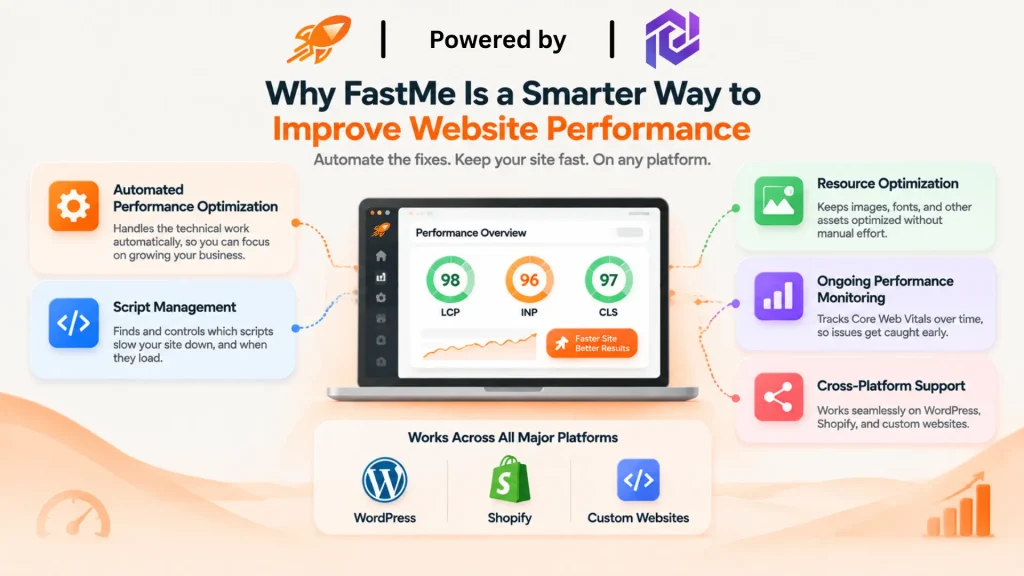
This is where the fixes above connect to something bigger. Doing image compression, script audits, database cleanup, and hosting checks by hand works fine for a one-time fix. But performance tends to drift again once new content, plugins, or apps get added. That’s the gap FastMe website performance optimization is built to close.
FastMe isn’t a WordPress plugin that happens to work elsewhere. It’s a website performance optimization platform built to support different website environments from day one. A few core capabilities carry across all of them:
- Automated performance optimization. Handles the repetitive technical work, so nobody has to make manual adjustments every time something changes.
- Script management. Finds which scripts are slowing a page down and controls how and when they load.
- Resource optimization. Keeps images, fonts, and other assets in check without constant manual upkeep.
- Ongoing performance monitoring. Tracks Core Web Vitals scores over time, so regressions get caught before they hurt rankings or conversions.
- Cross-platform support. The same approach works whether a site runs on WordPress, Shopify, or custom infrastructure.
WordPress Core Web Vitals is often the entry point where businesses first notice a performance problem. It’s usually where the issue shows up earliest and most visibly. But the real need, a platform that keeps performance in check without constant manual work, isn’t limited to one CMS. That’s the problem FastMe is actually built to solve.
What Better Core Web Vitals Can Improve
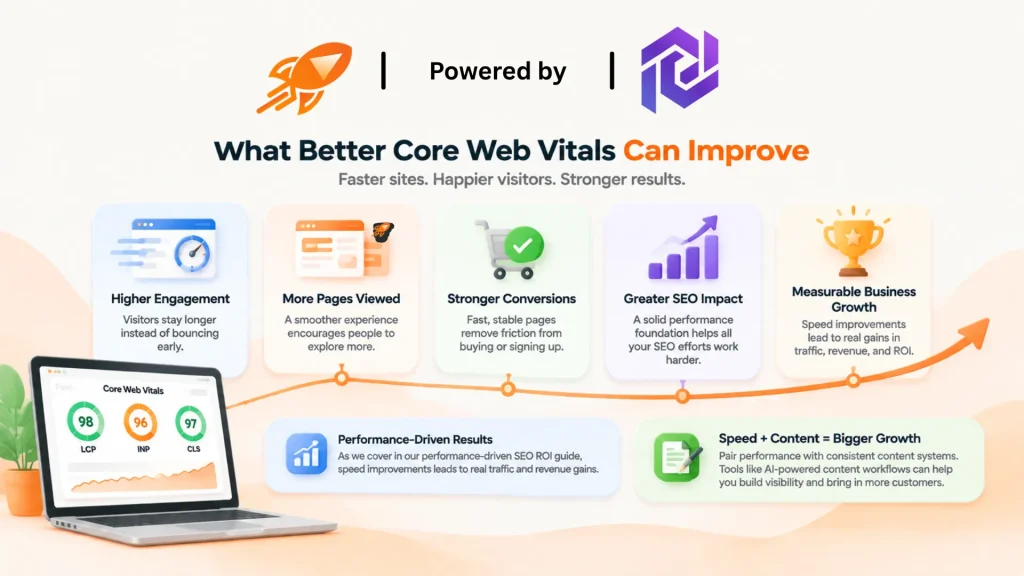
Fixing these metrics isn’t just a technical checkbox. It changes how people actually experience and act on a site.
A faster, more stable page keeps visitors engaged instead of bouncing in the first few seconds. Better engagement tends to mean more pages viewed and more time on site. Stronger conversions follow naturally too, since fast, predictable pages remove friction from buying or signing up. A healthier performance foundation also makes every other SEO effort work harder. Content quality and technical performance reinforce each other. They don’t work well alone.
These gains connect directly to what we cover in our piece on performance-driven SEO ROI, where speed improvements turn into measurable gains in traffic and revenue, not just a technical score.
Performance Is Only Part of the Picture
Speed gets a site in front of people and keeps them from leaving early. But it isn’t the whole growth equation. Websites also need steady content systems that build visibility and bring in customers over time. That’s a different problem than Core Web Vitals, but it often sits right next to it on a growing business’s to-do list. If content production has been the harder half of that equation, tools like AI-powered content workflows are worth a look alongside your performance work, not instead of it.
Final Thoughts
A faster website isn’t just a technical fix sitting on a to-do list. It’s an investment in customers, trust, and long-term growth. Every second shaved off load time is one less chance a visitor has to leave before they see what you built.
Learning how to improve Core Web Vitals in WordPress gives you a clear, practical starting point. That might mean cleaning up plugins, optimizing images, or fixing hosting bottlenecks. Most site owners can handle the first round of fixes on their own, once they know where to look.
The harder part is keeping those gains in place as a site keeps growing. New plugins get added. New content goes live. New apps and integrations creep in over time. That’s when it helps to have something watching performance in the background, instead of relying on a one-time cleanup. FastMe fits naturally into the broader Pordix AI automation ecosystem, built around making performance and growth simpler to manage across whatever platforms a business actually runs on.
Frequently Asked Questions
1. What are Core Web Vitals in WordPress?
Core Web Vitals in WordPress are the same three Google metrics used on any platform: Largest Contentful Paint, Interaction to Next Paint, and Cumulative Layout Shift. WordPress sites are measured against the same thresholds as everyone else. Plugins and themes make them more likely to fall short.
2. How to improve Core Web Vitals WordPress?
Start with image optimization, then reduce and defer JavaScript, clean up the database, and confirm your hosting can actually handle your site’s needs. Each step targets a different metric, so improvements usually show up gradually as you work through them.
3. Why is my WordPress website failing Core Web Vitals?
The most common causes are too many plugins, a heavy theme, weak hosting, an unoptimized database, or third-party scripts loading from outside servers. Most sites deal with a mix of several of these at once, not just one.
4. Do plugins affect Core Web Vitals?
Yes. Every plugin can add its own scripts, styles, and database queries. The effect adds up fast as more get installed. It’s worth auditing your plugin list regularly and removing anything that isn’t in active use.
5. Can Core Web Vitals affect SEO?
Yes. Core Web Vitals are part of Google’s page experience signals, which factor into search rankings. Beyond rankings, a faster and more stable page also keeps visitors around longer. That extra engagement helps SEO too.
6. Does FastMe work only with WordPress websites?
No. FastMe is built to optimize website performance across WordPress, Shopify, and custom-built websites, so businesses aren’t locked into a single platform to get the benefit. WordPress Core Web Vitals is where many businesses first notice the problem.