
Chatbot Templates: 15 Examples for Smarter AI Conversations
A customer lands on a website with one question. The answer exists somewhere on the site — an FAQ page, a product description, a policy document — but the visitor doesn’t have time to dig for it. They leave, and the business never even knows a sale was almost made.
This is the exact gap a chatbot template closes. Instead of building an automated conversation from a blank page, a template gives a business a working starting point: a structure for greetings, questions, responses, and next steps already thought through. This is chatbot automation at its simplest — the business still shapes the tone and details, but it isn’t starting from zero.
What’s changed recently is how far a chatbot template can go. A few years ago, “template” meant a rigid script that broke the moment a customer phrased a question differently than expected. Today, AI chatbot templates read intent instead of exact wording, pull answers from real business knowledge, and adjust as the conversation goes.
A February 2026 Gartner survey of customer service leaders found that most are now under real pressure from leadership to bring AI into operations in 2026, with better customer satisfaction sitting alongside cost savings as the goal. Separately, Salesforce’s 7th-edition State of Service research found that chatbot automation and AI agents together already resolved close to 30 percent of service cases in 2025, projected to climb to around 50 percent by 2027.
Plenty of businesses start their search by looking for free chatbot templates, and that’s a reasonable place to begin. This guide walks through what makes a chatbot template genuinely useful, breaks down 15 templates businesses can adapt today — including a chatbot for ecommerce template built for online stores — and explains how AI chatbot templates have changed what a “template” can actually do.
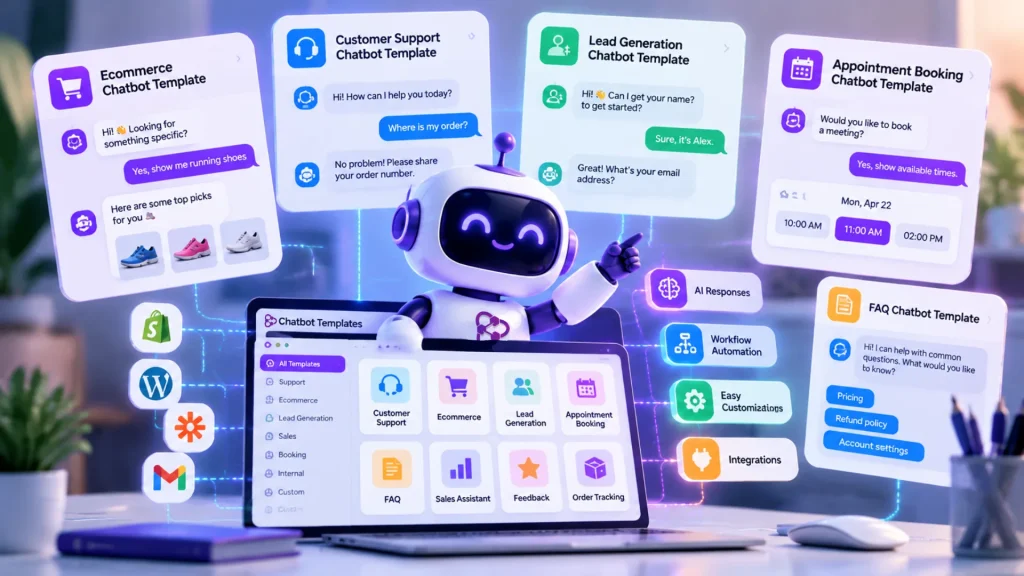
What Is a Chatbot Template?
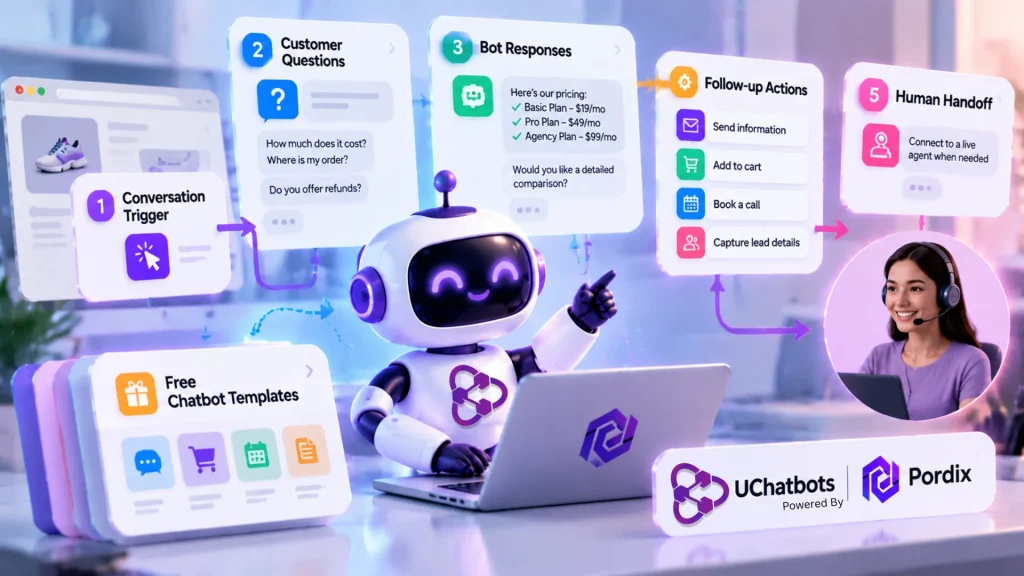
A chatbot template is a pre-built conversation framework that gives a business a head start on chatbot automation, instead of designing every interaction from scratch. A template maps out a few key pieces:
- The trigger that starts the conversation, such as a visitor landing on a pricing page
- The kinds of questions customers are likely to ask
- The bot responses that answer those questions
- Any follow-up action or workflow the response should kick off
- A point where the conversation switches to a human, if needed
Traditional chatbot templates followed fixed decision trees — if the customer typed option A, they got response A, and nothing else. That worked for simple cases, but it broke down fast whenever someone phrased a question differently than the script anticipated. AI chatbot templates solve this by understanding what the customer means rather than matching exact phrases — a big part of why chatbot automation has moved past simple decision trees.
Many platforms let businesses try this out with free chatbot templates before committing to a paid plan, a reasonable way to test whether chatbot automation fits a use case before investing time in customization. This pattern is covered in more depth in this guide to picking the right AI chatbot for a small business.
What Makes a Good Chatbot Template Effective?
Not every chatbot template is worth using. The ones that help share a few traits, and the data backs up why each matters.
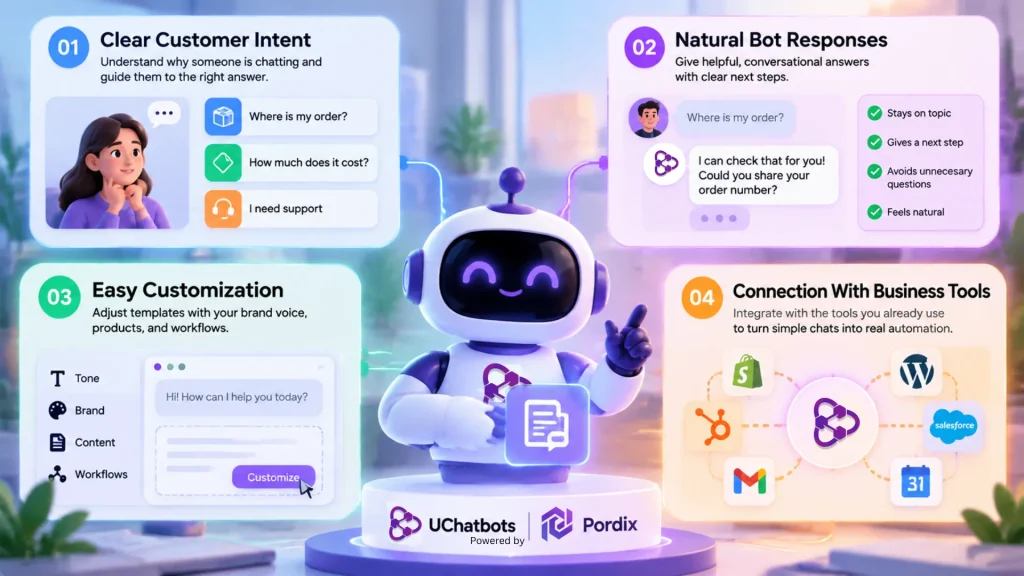
Clear Customer Intent
A good chatbot template starts by understanding why someone is chatting. Are they checking an order status, asking about pricing, or looking for support? A template built around real customer intent — rather than a generic “how can I help you” — gets to a useful answer faster.
This is one area where AI chatbot templates outperform older, script-based bots: Gartner projects that chatbots will become the primary customer service channel for roughly a quarter of organizations by 2027. This shift only works if the bot correctly reads intent on the first try.
Natural Bot Responses
Nobody enjoys a conversation that feels like reading a manual. Strong bot responses stay on topic, offer a next step the customer can take, and skip unnecessary follow-up questions. Salesforce’s State of Service research backs this up: 89 percent of service professionals say conversational AI increases self-service resolution rates, and 88 percent say it speeds up resolution — proof that natural chatbot automation pays off in practice.
Easy Customization
A template is only a starting point. The best ones are easy to adjust with a business’s own brand voice, product details, and workflows, so the finished chatbot doesn’t sound copied. A template that can’t be customized quickly tends to get abandoned within weeks.
Connection With Business Tools
A chatbot template becomes far more useful once it connects to the systems a business already runs on — a CRM, an ecommerce platform, a support desk, or a marketing tool. That connection is what turns a simple Q&A bot into real chatbot automation, one that can actually check an order, book a slot, or hand off a qualified lead.
This matters even more for a chatbot for ecommerce setup: the Baymard Institute puts the average cart abandonment rate at close to 70 percent, and a bot that can’t check live cart data has little chance of recovering any of it. See this chatbot integration guide for more on connecting a bot to existing tools.
15 Chatbot Templates Businesses Can Use
Here are 15 chatbot template types that cover most of what a growing business needs, from day-one support to post-purchase follow-up. Several are commonly available as free chatbot templates, an easy way to test chatbot automation before building a more advanced setup.
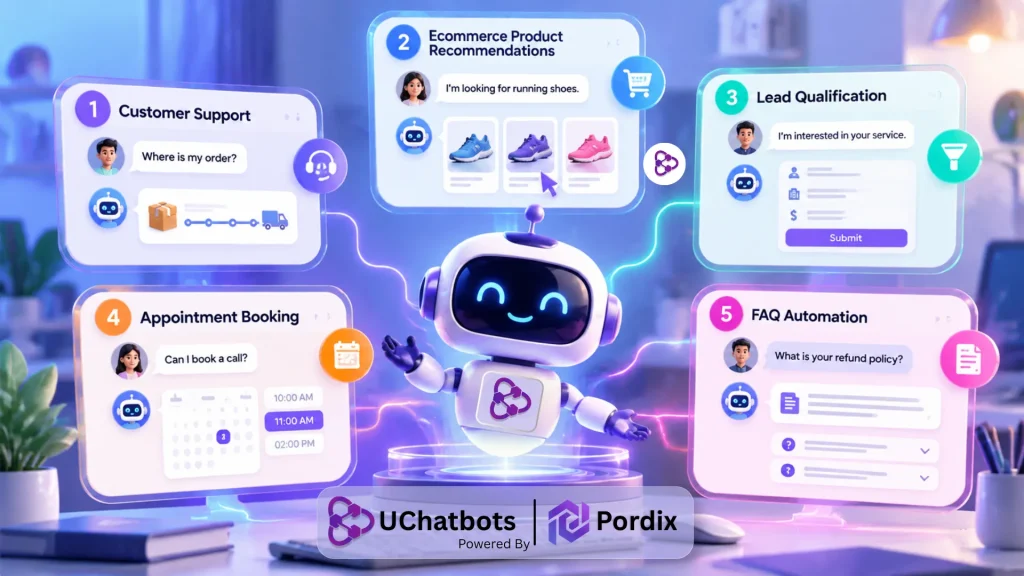
1. Customer Support Template
A customer support template is one of the most common chatbot templates businesses use. It helps answer repetitive questions automatically and gives customers quick access to important information without waiting for a support agent.
For example, when a customer asks, “Where is my order?” the chatbot can guide them through the next step by requesting an order number or directing them to tracking information.
These templates are especially useful for businesses that receive the same support questions repeatedly, such as delivery updates, account issues, product details, or service requests.
2. Ecommerce Product Recommendation Template
An ecommerce product recommendation template helps shoppers find suitable products based on their needs, preferences, or budget.
Instead of making customers search through multiple pages, the chatbot can ask simple questions and guide them toward relevant options. This creates a more personalized shopping experience while helping businesses reduce friction during the buying process.
This type of chatbot for ecommerce workflow is useful for stores with large product catalogs where customers may need assistance before making a decision.
3. Lead Qualification Template
A lead qualification template helps businesses identify potential customers before a sales representative gets involved.
The chatbot can collect basic information such as customer needs, budget range, business size, or preferred service. Based on the responses, it can organize leads and send more relevant prospects to the sales team.
For businesses with longer sales cycles, this type of AI chatbot template helps save time by filtering conversations and focusing human attention where it matters most.
4. Appointment Booking Template
An appointment booking template allows visitors to schedule meetings, consultations, or calls directly through the chatbot.
Instead of exchanging multiple emails, customers can select available times and complete the booking process within the conversation. This template is commonly used by service businesses, consultants, agencies, and healthcare providers that need a simple way to manage appointments while reducing manual scheduling work.
5. FAQ Automation Template
FAQ automation is one of the most widely used chatbot automation examples. It helps businesses answer common questions about services, policies, pricing, shipping, and account information.
A well-built FAQ chatbot does more than display answers. AI-powered versions can understand different ways customers ask the same question and provide responses based on business information.
This makes FAQ automation a strong starting point for companies moving from static help pages toward conversational AI.
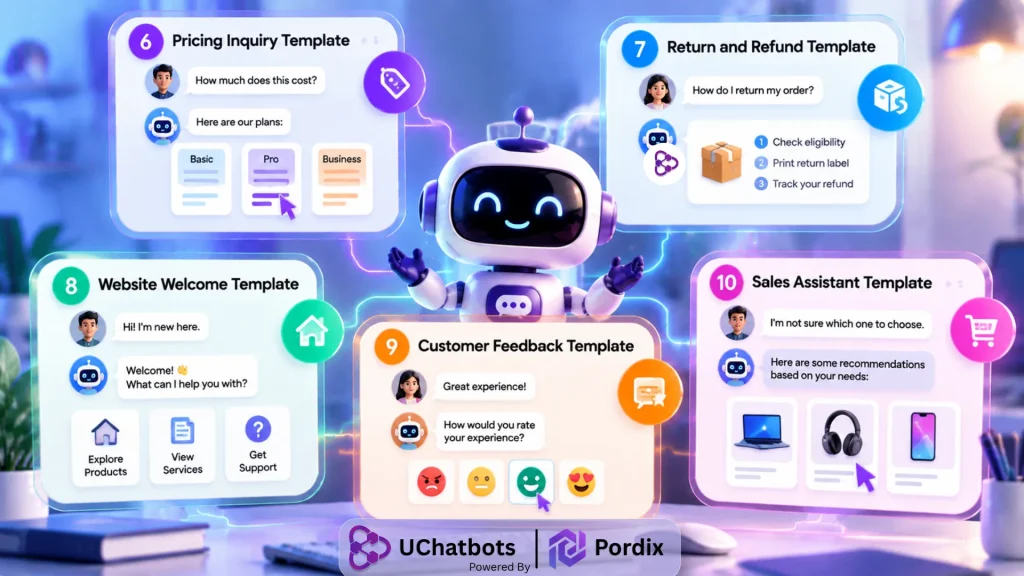
6. Pricing Inquiry Template
A pricing inquiry template helps businesses handle visitors who want information about costs, plans, or available options. Instead of sending every visitor to a pricing page, the chatbot can answer basic questions, explain available options, and identify users who are ready to speak with a sales team.
This makes it useful for SaaS companies, agencies, and service providers that receive frequent pricing-related questions.
7. Return and Refund Template
A return and refund template is especially valuable for ecommerce businesses handling frequent post-purchase questions. The chatbot can guide customers through return policies, refund timelines, exchange options, and order-related issues.
By automating these conversations, businesses can provide faster support while allowing customer service teams to focus on more complex cases.
8. Website Welcome Template
A website welcome template helps businesses create a better first interaction with visitors. Instead of leaving users to navigate a website alone, the chatbot can greet them, understand what they need, and direct them toward relevant pages, products, or services.
This simple chatbot template is often used as an entry point before introducing more advanced automation
9. Customer Feedback Template
A customer feedback template helps businesses collect opinions, reviews, and satisfaction ratings after an interaction or purchase. The chatbot can ask customers about their experience, collect suggestions, and identify potential issues before they become bigger problems.
For ecommerce brands, this can improve customer relationships while providing useful insights for improving products and services.
10. Sales Assistant Template
A sales assistant template helps guide customers who are interested but unsure about what to buy. The chatbot can compare options, answer product questions, explain benefits, and help visitors move closer to a purchase decision.
This type of chatbot for ecommerce workflow works especially well for businesses where customers need guidance before buying.
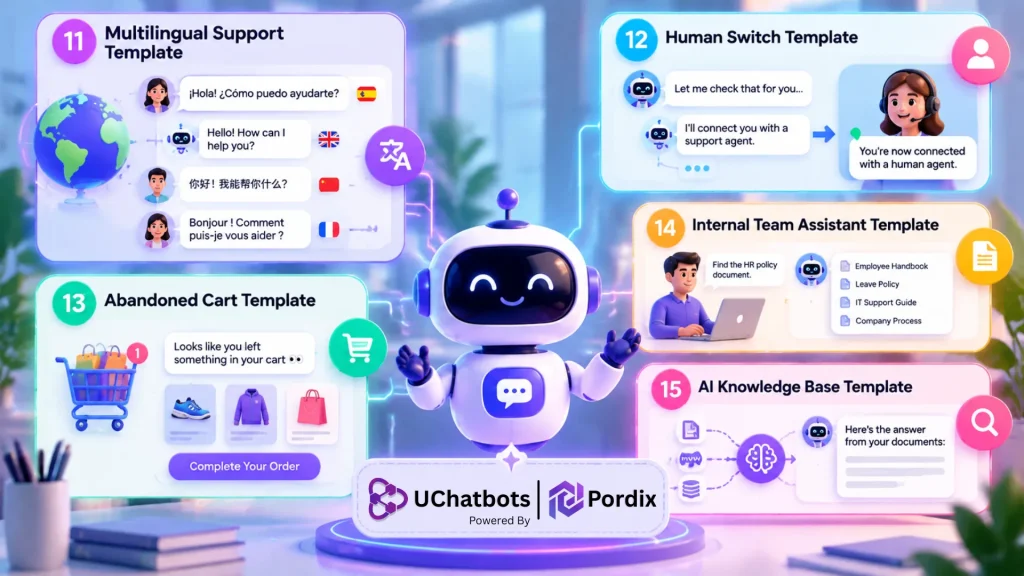
11. Multilingual Support Template
A multilingual support template helps businesses communicate with customers across different languages. For global brands, language barriers can create unnecessary friction. AI-powered chatbots can help customers receive information in their preferred language while maintaining consistent support quality.
This makes multilingual chatbot automation valuable for international ecommerce stores and businesses serving diverse audiences
12. Human Switch Template
A human switch template creates a smooth transition between chatbot automation and real customer support. Not every question should be handled by AI. Complex complaints, sensitive issues, or unique customer situations often require human attention.
A good chatbot recognizes when it needs assistance and transfers the conversation while keeping the previous context available for the support agent.
13. Abandoned Cart Template
An abandoned cart template helps ecommerce businesses reconnect with visitors who added products but did not complete their purchase. The chatbot can remind customers about their items, answer last-minute questions, or provide additional information that helps remove purchase hesitation.
When combined with personalized messaging, this type of chatbot automation can help recover potential sales.
14. Internal Team Assistant Template
Not every chatbot is built for customers. Internal assistant templates help employees quickly find company information, documents, policies, or workflow instructions. Instead of searching through folders or asking teammates repetitive questions, employees can use an AI assistant to access information faster.
This improves internal efficiency and reduces time spent on administrative tasks.
15. AI Knowledge Base Template
An AI knowledge base template represents a more advanced approach to chatbot automation. Instead of relying only on manually written responses, the chatbot can use company documents, website content, FAQs, and internal resources to provide more accurate answers.
This helps businesses create AI assistants that understand their specific information and deliver more relevant customer conversations.
How AI Improves Traditional Chatbot Templates
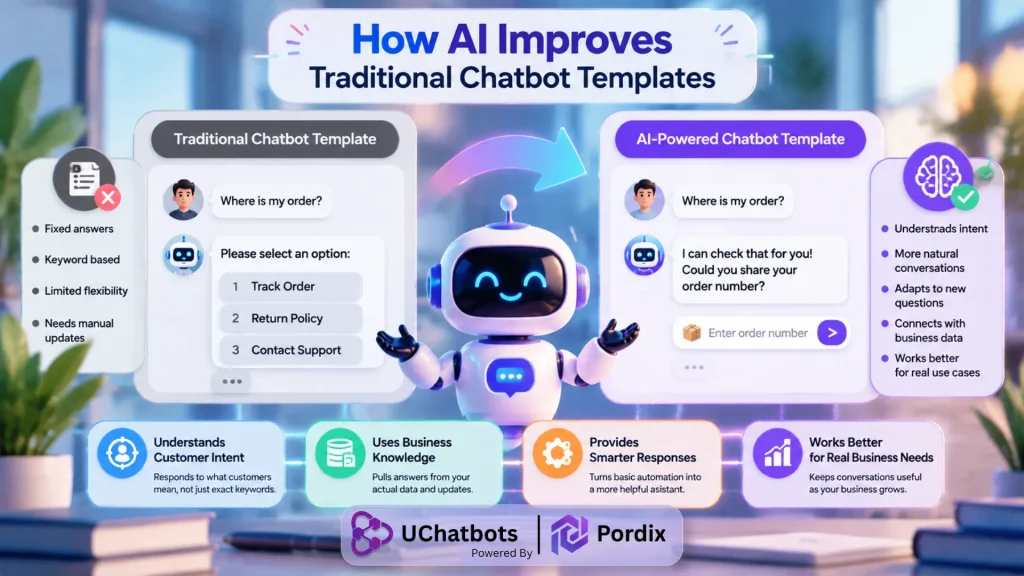
Traditional chatbot templates run on fixed paths, offer limited responses, and any update — even a small one — usually requires someone to rebuild part of the flow manually. That’s workable for a very small business, but it doesn’t scale, and it’s a big reason many teams outgrow their first round of free chatbot templates.
AI chatbot templates work differently. They understand customer intent instead of matching exact keywords, pull from a business’s actual knowledge base rather than a hardcoded script, and adapt the conversation as new information comes in. This shift turns basic chatbot automation into something closer to a real assistant, and it’s especially noticeable in a chatbot for ecommerce setting, where catalogs and order details change constantly — far beyond what static AI chatbot templates handled a couple of years ago.
This is where a platform like UChatbots, powered by Pordix, fits in. It helps businesses move past static chatbot scripts by combining knowledge-based responses with chatbot automation that adjusts to the conversation. The result is a chatbot template that keeps working well as the business grows — the platform is also viewable directly at its official UChatbots site.
How to Choose the Right Chatbot Template for Your Business
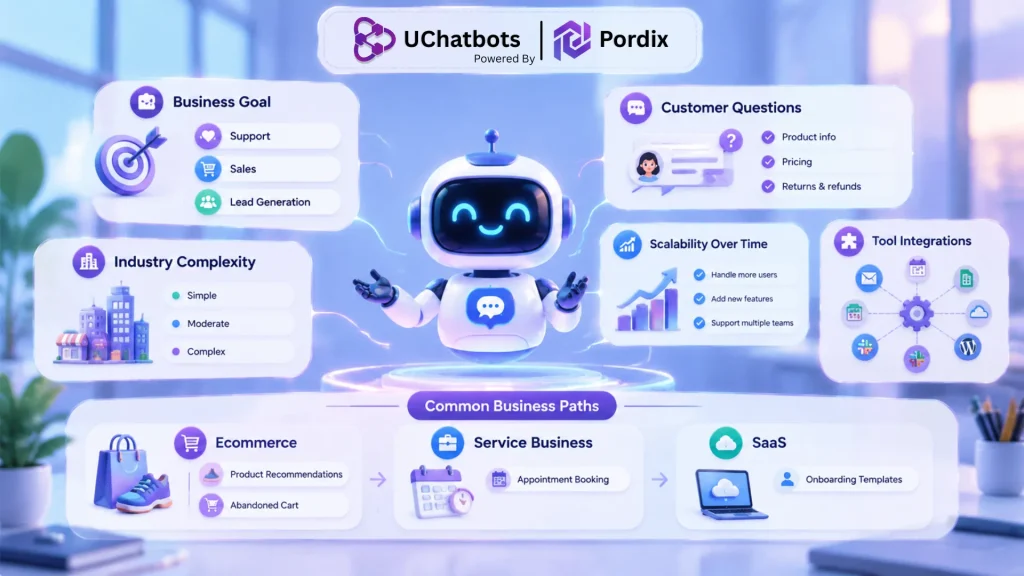
With so many free chatbot templates and AI chatbot templates available, the right choice comes down to a few practical factors:
- The main goal — support, sales, or lead generation
- The types of questions customers actually ask
- The industry and how complex those conversations tend to get
- How much the workflow needs to scale over time
- What other tools the chatbot needs to connect with
As a general guide, a chatbot for an ecommerce brand tends to get the most value from product recommendation and abandoned cart templates, service-based businesses lean on appointment booking templates, and SaaS companies usually start with onboarding templates. It’s worth starting with one of the many free chatbot templates available and layering chatbot automation on top as needs grow — a chatbot for an ecommerce store in particular tends to outgrow a static template fast. Businesses still weighing options can compare approaches in this best AI chatbots for small business roundup.
Final Thoughts
A chatbot template isn’t the finished product — it’s the foundation. The businesses that get the most out of theirs treat the template as a starting point, then keep refining it based on the questions customers actually ask.
Whether a business starts with basic free chatbot templates or a fully built AI chatbot template, the same rule applies: good chatbot automation improves with use, not on day one. That ongoing adjustment is what separates a chatbot that sits on a website from one that genuinely helps the business run better — ecommerce included.
Frequently Asked Questions
1. What is a chatbot template?
A chatbot template is a ready-made conversation structure that gives a business a starting framework for automated chats, covering the greeting, likely questions, and responses, so it doesn’t need to build a bot from a blank page.
2. Are chatbot templates free?
Yes — free chatbot templates are widely available, especially simple FAQ or greeting templates. More advanced options, including AI chatbot templates built around integrations or ecommerce workflows, are often part of a paid plan; this chatbot pricing guide breaks down what separates the two tiers.
3. How do AI chatbot templates work?
AI chatbot templates use natural language understanding to figure out what a customer means, rather than matching an exact phrase. This lets the same template handle a wider range of questions than a fixed-script bot — a real step up from most free chatbot templates.
4. Can I customize chatbot templates for my business?
Yes. A good chatbot template is meant to be adjusted — businesses typically update the wording to match their brand voice, add their own product or policy details, and connect the bot to the tools they already use.
5. What is the best chatbot template for ecommerce?
For a chatbot for an ecommerce use case, a mix of a product recommendation template and an abandoned cart template tends to deliver the most value — a meaningful gain given that the Baymard Institute puts average cart abandonment at close to 70 percent. Both are common starting points among free chatbot templates before a business moves to more advanced AI chatbot templates as its chatbot for ecommerce needs grow.