
Does CDN Affect SEO? What Actually Changes for Your Site
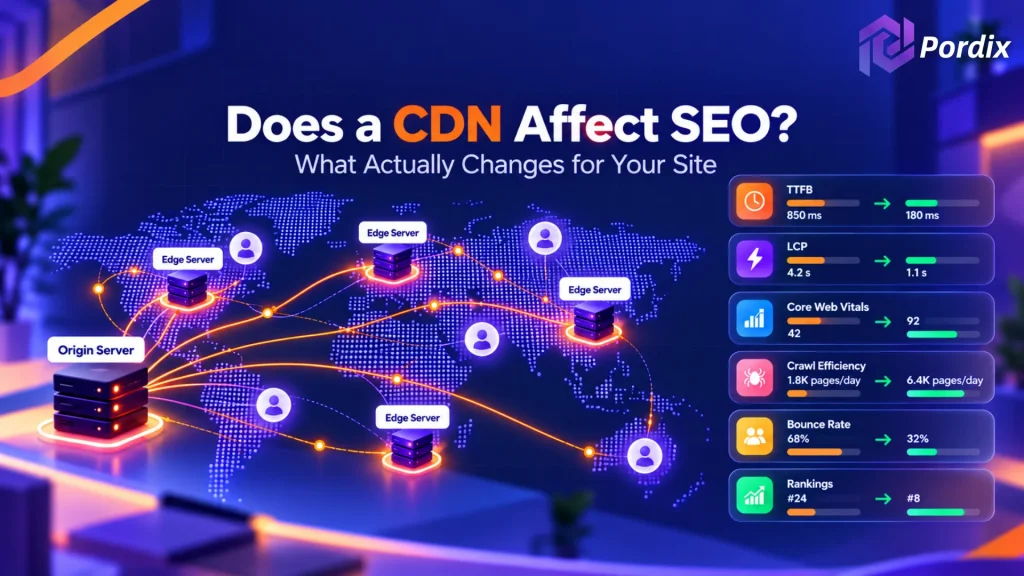
Does CDN affect SEO? Not directly. Google does not treat a content delivery network as a ranking factor. There is no secret CDN bonus, and there is no CDN penalty either. Still, a CDN can change things Google cares about. It can improve page speed. It can ease the load on a slow server. And if you set it up badly, it can create duplicate URLs or block Google from your files. So the honest answer is “it depends on the setup.” In this guide, we’ll walk through what Google has said, what really changes in practice, and what to check on your own site—no hype, just what matters.
Quick answer: A CDN won’t lift your rankings on its own. It can make your pages load faster, and faster pages help the experience. A bad setup can hurt crawling. A good setup is safe for SEO.
What a CDN Is and What Google Says About It
How a CDN Works in Plain Words
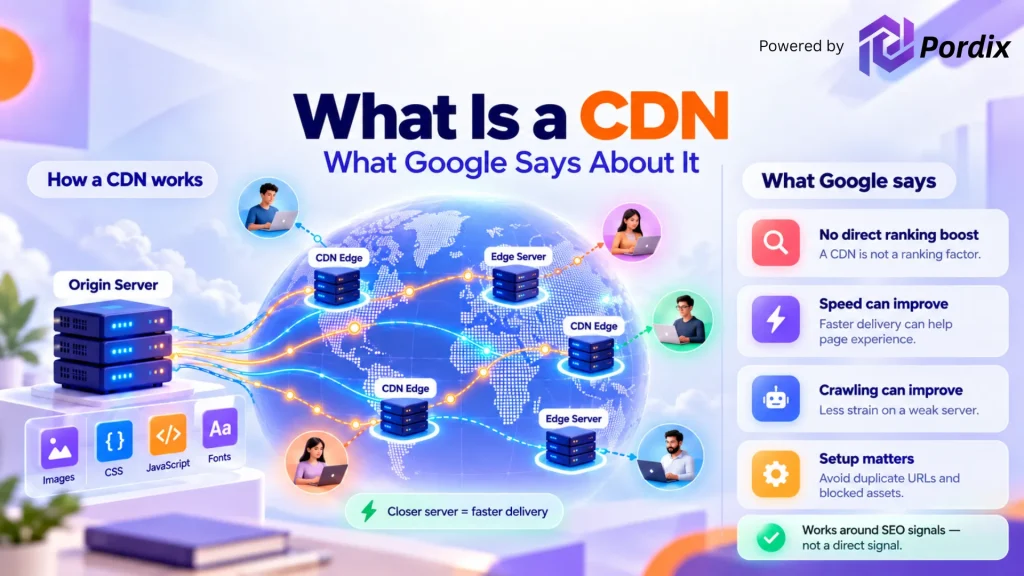
A content delivery network, or CDN, is a group of servers spread around the world. These servers keep copies of your files. When someone opens your site, the files come from the server closest to them.
Think of it like local warehouses. Instead of shipping every order from one faraway factory, you ship from the warehouse next door. Delivery gets quicker. Your main server is called the origin. Some CDNs only handle static files, like images, CSS, JavaScript and fonts. Others also cache the full HTML page. Cloudflare, Amazon CloudFront and Akamai are common names.
What Google Has Said About CDNs and Rankings
Google’s John Mueller has answered this question directly. In an office-hours session covered by Search Engine Journal, he said a CDN would not have a big effect on SEO. There are plenty of good reasons to use one, but a ranking boost isn’t on that list. He also added a point about crawling. If Google’s crawling is very slow, that can limit how much Google crawls and indexes from your site. A CDN can help here by taking pressure off a weak server. Google’s own web.dev site also has a guide on using a content delivery network to speed up a site.
So, does CDN affect SEO as a direct signal? No. It works around the signals, not on them.
How a CDN Can Affect SEO Indirectly
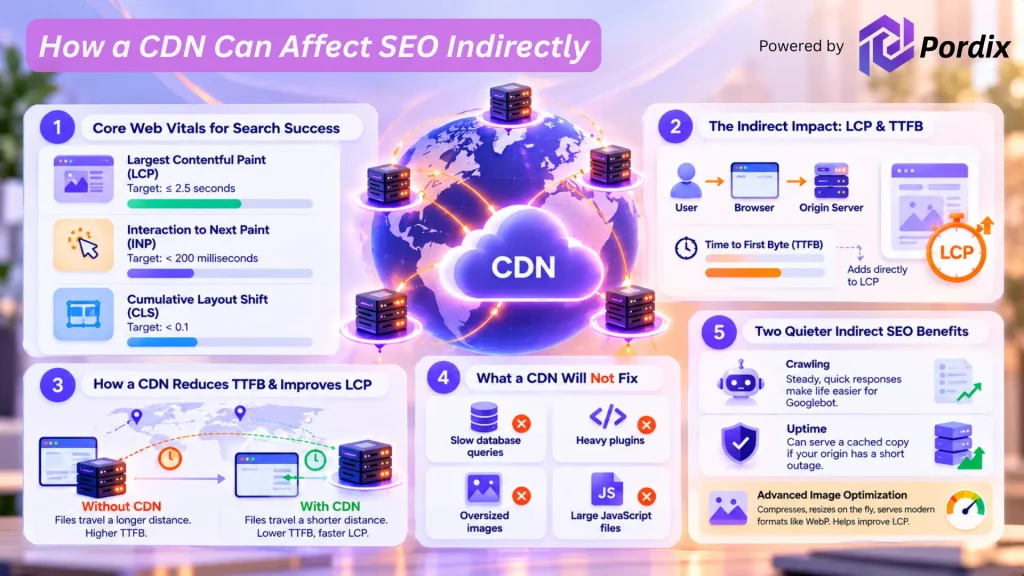
Does CDN affect SEO through page speed? Yes, but only in an indirect way. Here is how that works. Google recommends good Core Web Vitals for success in Search. It says they line up with what its core ranking systems try to reward. There are three metrics:
- Largest Contentful Paint (LCP): how fast the main content loads. Aim for 2.5 seconds or less.
- Interaction to Next Paint (INP): how quickly the page responds. Aim for under 200 milliseconds.
- Cumulative Layout Shift (CLS): how stable the layout is. Aim for under 0.1.
A CDN mostly helps with LCP. To see why, look at what happens first. When someone visits your page, the browser asks your server for it. The wait before the first byte arrives is called Time to First Byte, or TTFB. It isn’t one of the three Core Web Vitals. But it adds straight into LCP.
Here is the math. If your Time to First Byte is 800 ms, a third of your 2.5-second LCP budget is gone before anything shows up on screen. A CDN trims Time to First Byte when your visitors live far from your server. The files travel a shorter distance. Your origin also gets fewer requests, so it stays steady when traffic spikes. Faster delivery matters even more on slow mobile connections. For a detailed guide, read our detailed article on how to improve the Core Web Vitals.
What a CDN Will Not Fix
A CDN is not a magic wand. It can’t repair slow database queries, heavy plugins, huge JavaScript files or oversized images. If those are the real problem, your page speed stays poor with or without a CDN. That’s why some site owners add a CDN, see no change, and decide it “doesn’t work.” The CDN did its job. The bottleneck was somewhere else.
Two Quieter Benefits
There are two more indirect effects worth knowing:
- Crawling: Steady, quick responses make life easier for Googlebot.
- Uptime: Many CDNs can serve a cached copy if your origin has a short outage.
Both help real visitors too. And faster pages can keep people from leaving early, which supports the overall experience. Many top CDNs also compress and resize images on the fly, or serve modern formats like WebP. That matters more than it sounds. On many pages, the biggest image is the LCP element. A lighter image reaching the browser sooner can move your LCP number in the right direction.
When a CDN Can Hurt SEO
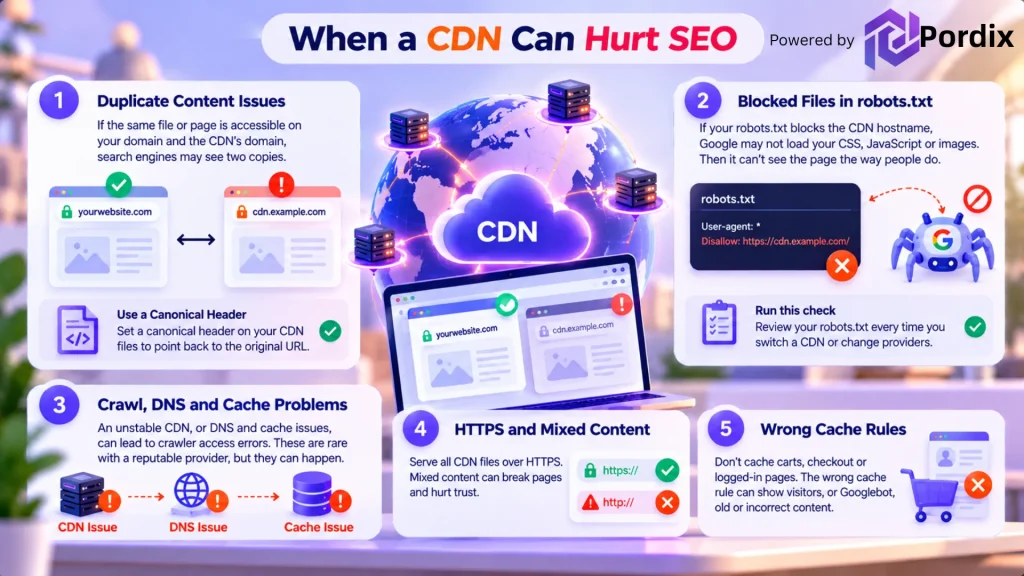
Does a CDN affect SEO in a bad way? Only when the setup is wrong. The good news is that these problems are easy to spot. Most of them fall into two groups.
Duplicate Content and Blocked Files
If the same file or page can be opened on your domain and on the CDN’s domain, search engines may see two copies. Google wants one clear version. A canonical header on your CDN files points back to the original. Some CDNs add this header for you. Others let you set it by hand. Google’s guide on duplicate URLs and canonicals explains the idea.
Also check your robots.txt. If a rule blocks your CDN hostname, Google may not load your CSS, JavaScript or images. Then it can’t see the page the way people do. Run this check every time you switch a CDN on or change providers.
Crawl, DNS and Cache Problems
Technical slips can cause trouble too. Alibaba Cloud’s CDN documentation notes that an unstable CDN, or DNS and cache issues, can lead to crawler access errors. These are rare with a reputable provider, but they happen.
Two more things to watch:
- HTTPS: Serve all CDN files over HTTPS. Mixed content can break pages and hurt trust.
- Cache rules: Don’t cache carts, checkout or logged-in pages. The wrong cache rule can show visitors, or Googlebot, old or wrong content.
None of this is ongoing work. It’s a one-time checklist.
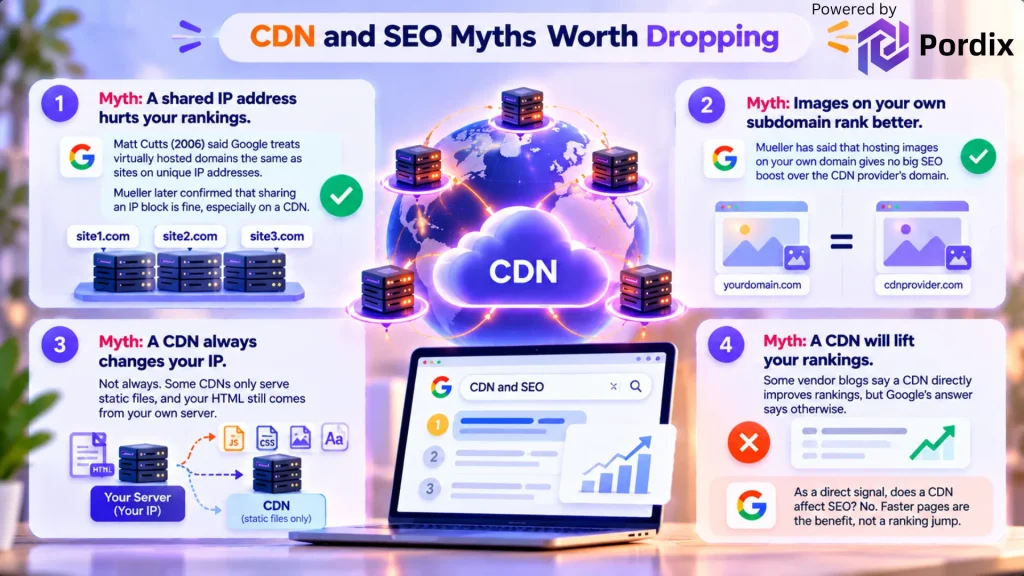
CDN and SEO Myths Worth Dropping
A few old ideas still float around. Here is what Google has said.
Myth: a shared IP address hurts your rankings. In 2006, Matt Cutts said Google treats virtually hosted domains the same as sites on unique IP addresses. Years later, Mueller said sharing an IP block is fine, especially on a CDN. These statements are old. But the logic holds up. If one bad site could drag down every site on its IP, Google would be easy to game.
Myth: images on your own subdomain rank better. Mueller has said that hosting images on your own domain gives no big SEO boost over the CDN provider’s domain. The real benefit is easier switching later, since you won’t need redirects.
Myth: a CDN always changes your IP. Not always. Some CDNs only serve static files, and your HTML still comes from your own server.
Myth: a CDN will lift your rankings. Some vendor blogs say so. Google’s answer says otherwise. Faster pages are the benefit, not a ranking jump. As a direct signal, does a CDN affect SEO? No.
How to Set Up a CDN Without Hurting SEO
Use this short checklist:
- Use your own domain or a subdomain for CDN files, like cdn.yoursite.com. It makes switching providers easier later.
- Add canonical headers to CDN files, and make sure your pages point to your main URL as the canonical.
- Check that Google can crawl those files. Review robots.txt and test a page with URL Inspection in Search Console.
- Serve everything over HTTPS.
- Keep carts, checkout and logged-in pages out of the cache.
- Measure before and after.
For step 6, use the Core Web Vitals report in Search Console, PageSpeed Insights and the Crawl Stats report. Google relies on real-user data, so it can take about 28 days for a fix to show up fully. Give it a few weeks before you judge. So, does CDN affect SEO on your site? That’s how you find out. Picking the right provider helps too. Look for these basics:
- Servers close to where most of your visitors live.
- Free HTTPS and automatic canonical headers, or an easy way to add them.
- Clear cache controls, including a simple way to clear old files after you update a page.
- A setup that lets you use your own domain, not just the provider’s.
A fancy feature list matters less than a clean setup. A plain CDN that lowers Time to First Byte for your real audience will beat a complex one that is configured badly.
Also remember that a CDN is one piece of page speed. Server response, caching, images and scripts matter just as much. FastMe by Pordix is built for this kind of site speed work. For more, read our FastMe site speed guide and our guide on how to improve Core Web Vitals in WordPress. If pages still load slowly, see how to increase website loading speed.
Conclusion
So, does CDN affect SEO? Not as a ranking signal. Google has said it plainly, and nothing in how CDNs work suggests a hidden bonus or penalty. A content delivery network is a delivery tool, not a ranking tool. What it does affect is the stuff around your rankings. It can shorten the trip your files take, ease the strain on your server and make your page speed more steady for visitors in different countries. That helps people, and it makes Googlebot’s job easier too.
The risk sits in the setup. Duplicate URLs, blocked files, wrong cache rules and DNS slips are the real ways a CDN can cause trouble. The fix is simple: use your own domain for CDN files, add canonical headers, keep HTTPS on, and test with Search Console before and after. Finally, keep the bigger picture in mind. A CDN won’t replace good content, clean site structure or a healthy server. If your pages are slow because of heavy scripts or a weak host, fix those first. Then add a CDN to carry the load. That order gives you the best chance of a fast site that Google and your visitors can rely on.
FAQs
Q1. Does a CDN improve SEO rankings?
Not directly. Google gives no ranking bonus for using a CDN. But a CDN can make pages load faster and help Googlebot fetch them. Both support a better experience. Think of it as a helper, not a ranking trick.
Q2. Can a CDN hurt SEO?
Yes, if it’s set up poorly. The usual problems are duplicate URLs, blocked files, DNS errors, mixed content and bad cache rules. A canonical header, HTTPS, and a quick robots.txt check prevent most of them.
Q3. Does a CDN help Core Web Vitals?
Mostly LCP. A CDN lowers Time to First Byte and shortens the trip files take. It does little for INP or CLS, since those usually come from JavaScript and layout choices. You’ll need to fix those at the source.
Q4. Do I need a CDN for a small website?
Not always. If most visitors live near your server and your pages are light, the gain may be small. A CDN helps more when you have global visitors, many images or lots of pages. Check your Core Web Vitals report first to see if there’s a real problem to solve.
Q5. Does a CDN change my IP address, and does it matter for SEO?
Sometimes. A CDN may sit in front of your site and show its own IP. Google has said sharing IP addresses isn’t a problem, especially behind a CDN. And some CDNs leave your DNS alone and only serve static files.
Q6. Does a CDN help with Googlebot crawling?
It can. A CDN takes load off your server, so pages respond faster and more steadily. Mueller noted that very slow crawling can limit how much Google crawls and indexes. A CDN is one way to avoid that, but it won’t rescue a badly built site on its own.