
Pordix vs Make.com: Which AI Automation Platform Fits Growing Businesses Better?
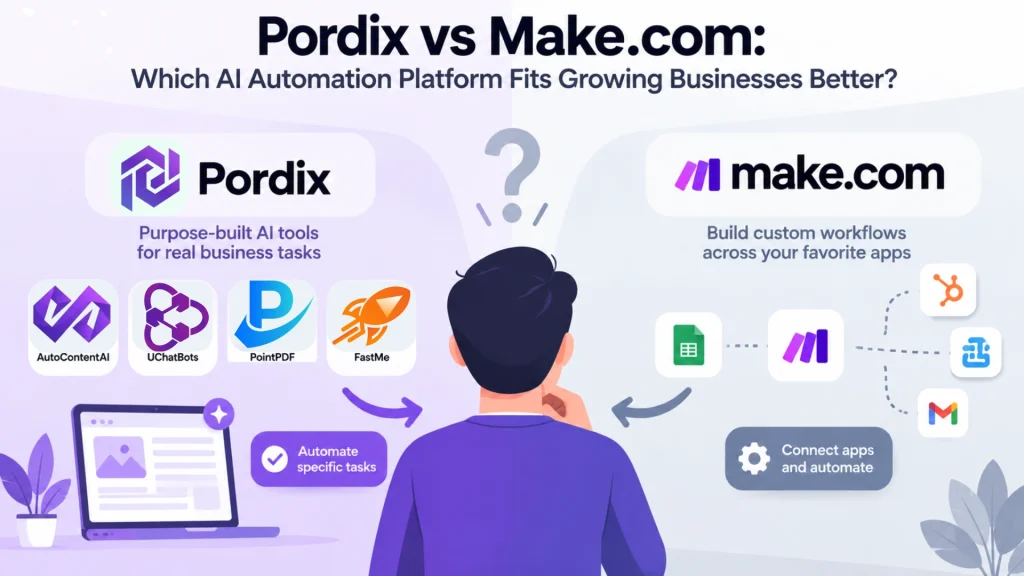
Automation can save hours, but choosing the right platform is not always simple. Pordix vs Make.com brings two different approaches to business automation. One focuses on purpose-built AI tools, while the other gives users a flexible environment for building custom workflows.
Make.com is built for businesses that want to connect apps, create multi-step workflows, and control how information moves between services. Pordix takes a more focused approach, with AI-powered tools built around specific business tasks. The better choice depends on what you actually need to automate.
For growing businesses, the decision is not only about features. Cost, setup time, flexibility, and everyday usability matter too. In this comparison, we’ll look at both platforms, where each one fits best, and whether Pordix makes sense as a Make.com alternative for your workflow.
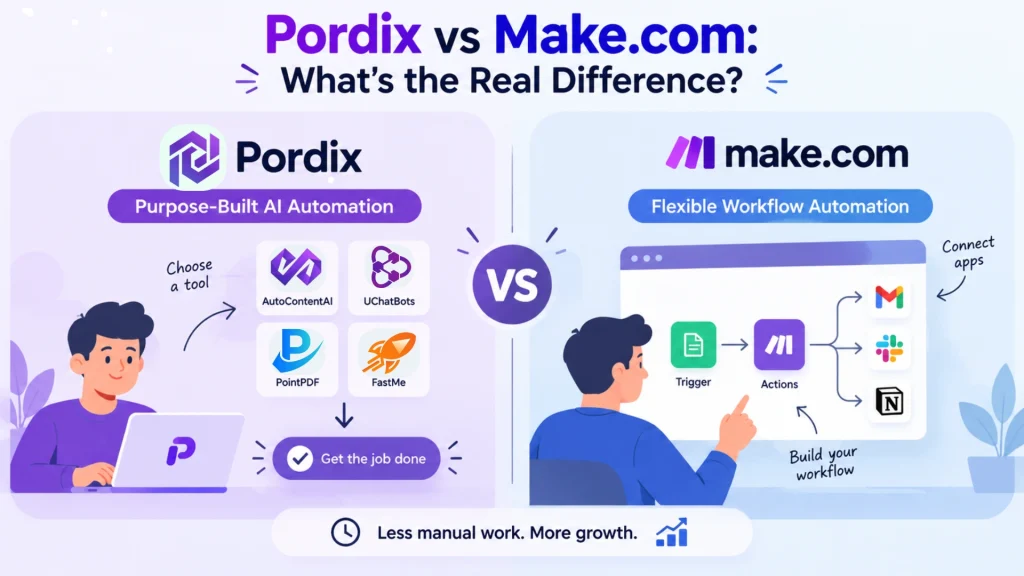
Pordix vs Make.com: What’s the Real Difference?
At first glance, Pordix and Make.com may seem similar. Both help businesses reduce repetitive work with automation. The main difference is how that automation is delivered. Pordix focuses on purpose-built AI tools, while Make.com gives users the building blocks to create their own workflows.
Pordix: Purpose-Built AI Automation
Pordix brings together AI-powered tools designed for specific business needs. Instead of building every process from individual steps, users can choose a tool that already addresses a particular task. This approach can be useful for entrepreneurs and growing teams that want to automate common work without managing complex workflow logic.
Tools such as AutoContentAI focus on content production and publishing, while other Pordix products address different business workflows. The idea is simple: use the tool built for the job, then spend less time managing the automation behind it.
Make.com: Flexible Workflow Automation
Make.com takes a different route. It provides a visual environment where users can connect applications and create custom automated workflows. A workflow can include triggers, actions, filters, routers, and multiple connected services.
This flexibility makes Make.com useful when a business needs to move data between different applications or create detailed processes. However, building those workflows also means deciding how each step should work and maintaining them as business requirements change.
In simple terms: Pordix focuses on ready-to-use AI-powered solutions, while Make.com focuses on building customizable workflows. The right choice depends on how much control and customization your business actually needs.
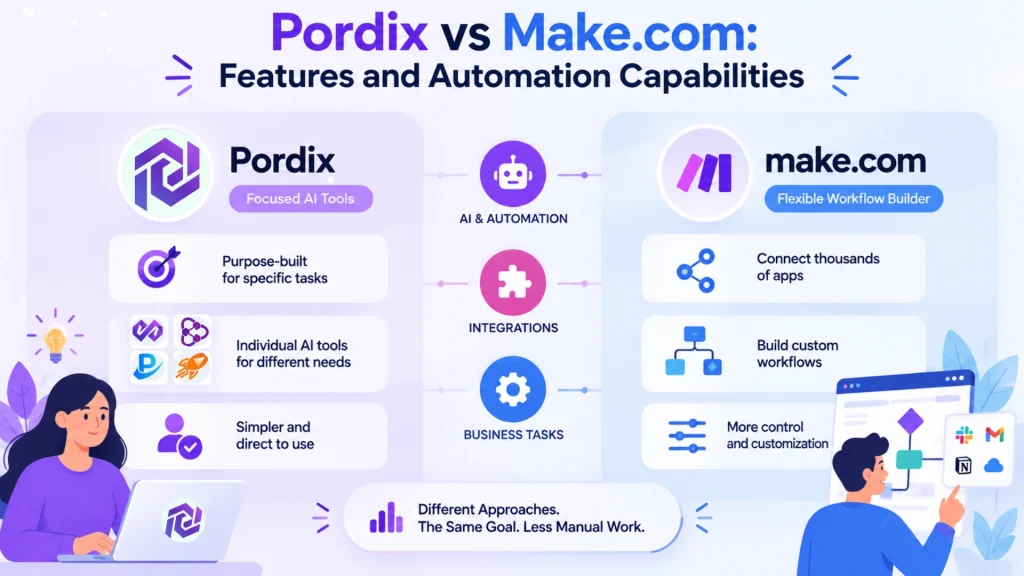
Pordix vs Make.com: Features and Automation Capabilities
The biggest difference becomes clearer when you look beyond the platform names and compare what each one is designed to do. Both can support automation, but their capabilities are organized around different user needs. Pordix provides focused AI-powered tools, while Make.com gives users a broader framework for connecting services and designing workflows.
AI and Automation
Pordix approaches automation through individual AI tools built for defined tasks. This can make the experience more direct when a business already knows what it wants to automate. Instead of designing an entire process from individual components, the user can start with a tool built around that particular need.
Make.com provides more control over how an automation behaves. Users can connect applications, define triggers and actions, move data between steps, and add conditions when needed. This makes it suitable for workflows that require more customization.
Integrations and Workflow Building
Make.com has a major advantage when broad application connectivity is the priority. Its platform supports thousands of integrations and lets users combine them into visual scenarios. This can be valuable for businesses that rely on many different services and need them to communicate with one another.
Pordix takes a narrower approach. Its value comes from the functionality of its individual tools rather than from offering a universal integration layer for a business looking for a specific AI solution; that focused approach can reduce the need to build the entire workflow from scratch.
Specialized Business Tasks
This is where Pordix’s product-based approach becomes more relevant. AutoContentAI, for example, focuses on automated content creation and publishing, while other Pordix tools address different business requirements.
Make.com can also automate these types of processes when the necessary applications and workflow steps are configured. The difference is that Make.com gives you the framework to build the process, while Pordix develops dedicated tools around particular jobs.
For businesses evaluating workflow automation tools, the key question is therefore not simply how many features a platform has. It is whether those capabilities match the way the business actually works.
Which Platform Is Better for Your Business Workflow?
The right choice depends on how your business approaches automation. Pordix is more suitable when you want a focused AI-powered solution for a specific task, while Make.com is designed for building and controlling customized workflows across different applications.
| Business Need | Pordix | Make.com |
|---|---|---|
| Specific business task | Purpose-built solutions | Custom workflows |
| AI-powered tools | Focused AI tools | AI features within workflows |
| Complex workflows | Supported product workflows | Multi-step automation |
| Multiple app connections | Depends on the Pordix tool | Broad integration ecosystem |
| Custom workflow logic | Depends on the product | Triggers, actions, filters and routers |
| Quickly addressing a defined need | Strong fit | May require workflow setup |
| Entrepreneurs and growing teams | Focused automation needs | Broader workflow customization |
| Advanced automation control | Depends on the specific tool | Granular workflow control |
The distinction is straightforward. Pordix focuses on solving specific business problems with dedicated AI tools, while Make.com gives users the framework to build their own connected workflows. Neither approach is universally better. The better option depends on the process, level of customization, and amount of control your business needs.
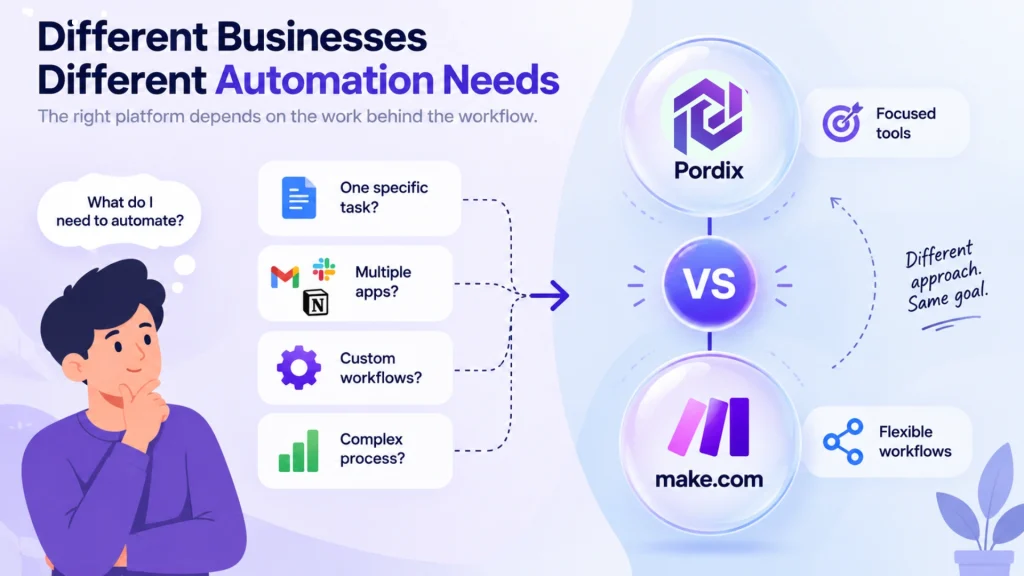
Pordix vs Make.com for Different Business Needs
The right automation platform depends on the work behind the workflow. A business may need a dedicated tool for one task, while another may need several applications to communicate through a custom process. Looking at the actual use case makes the comparison more useful than comparing feature lists alone.
Pordix can be a practical choice when the requirement matches one of its purpose-built tools. For example, a business looking to automate content production can use AutoContentAI, while other Pordix products address different operational needs. This approach keeps the focus on solving a defined problem rather than designing the entire automation from individual steps.
Make.com becomes more relevant when a workflow needs several applications, conditions, or custom actions to work together. Its visual scenario builder gives users control over how information moves between services. This can be especially useful for businesses with processes that are too specific or complex for a single-purpose solution.
The decision therefore comes down to the type of automation you need. If you have a clearly defined task and want a focused solution, Pordix may be the more direct route. If you need to connect multiple services and control every stage of the process, Make.com offers the flexibility to build that workflow yourself.
Pordix vs Make.com Pricing: Which Offers Better Value?
Price matters, but the cheapest option is not always the best fit. Automation costs can depend on how often workflows run, how many tasks they handle, and how much control a business needs. That makes the pricing model just as important as the headline plan price.
Make.com Pricing
Make.com offers a Free plan at $0 per month with 1,000 credits. Its paid plans start at $12 per month for 10,000 credits, with Pro at $21 per month and Teams at $38 per month. Because Make.com uses credits for workflow activity, your usage can affect the overall cost as you run more scenarios, connect more services, or increase automation volume.
This model can work well for businesses that need to create custom workflows across several applications. However, it also means that pricing should be considered alongside expected usage rather than viewed as a simple monthly subscription.
Pordix Pricing
Pordix uses a more product-focused approach to business automation software. Instead of paying for a general workflow builder, you can choose a tool based on the specific task you want to automate. This can make the cost easier to evaluate when you already know which part of your workflow needs automation.
For example, AutoContent AI starts at $39 as a one-time payment, with Plus at $99 and Expert at $149. UChatBots has a free plan, with Pro at $26 per month and Team at $89 per month. PointPDF offers a free plan and a Premium plan at $9.99 per month, while FastMe starts at $3.49 per month.
| Platform / Tool | Starting Price | Pricing Model | Main Use |
|---|---|---|---|
| Make.com | $0 | Credit-based | General workflow automation |
| AutoContent AI | $39 | One-time payment | AI content automation |
| UChatBots | $0 | Free + monthly plans | AI chatbot automation |
| PointPDF | $0 | Free + monthly plan | PDF automation |
| FastMe | $3.49/mo | Monthly plans | Website optimization |
Pricing shown is based on the prices available when this comparison was prepared. Plans, prices, and included features may change over time.
The difference comes down to what you are paying to automate. Make.com is designed for businesses that want to build custom workflows between different applications, giving them considerable control over how each step connects. Pordix takes a more focused approach, with dedicated tools designed to handle specific tasks without requiring users to build every process from individual workflow steps.
So, rather than asking which platform is cheaper, consider which pricing model matches your workflow. Make.com may be the better fit for custom, multi-app automation, while Pordix can be a practical option when you want a purpose-built AI automation tool for a specific job. For a small business or solo operator, the ability to choose a focused tool and pay according to that product’s pricing may also make the initial cost easier to understand.
Is Pordix a Good Make.com Alternative?
A Make.com alternative does not need to copy everything Make.com does. The better question is whether it solves your particular automation needs with the right level of flexibility and setup. Pordix takes a different route by building focused AI-powered tools around specific business tasks.
Pordix can be a practical option when you already know what you want to automate. Instead of creating a workflow from individual triggers, actions, and conditions, you can choose a dedicated tool designed for that job. This can be useful for entrepreneurs and growing teams that want to reduce repetitive work without managing a complex automation system.
Make.com remains a strong option when customization is the priority. Its visual workflow environment is suited to businesses that need to connect multiple applications, move data between them, and create detailed automation logic. That flexibility is valuable when a process has many moving parts.
The choice becomes simpler when you start with the problem instead of the platform. Pordix fits businesses looking for focused AI-powered solutions, while Make.com fits businesses that want to design and control their own connected workflows.
Can You Use Pordix and Make.com Together?
Yes. Choosing Pordix does not necessarily mean you have to stop using Make.com. The two can serve different roles within the same business automation software setup, especially when a company uses dedicated tools for certain tasks but still needs broader workflow connections.
Pordix can handle a specific job through one of its purpose-built tools, while Make.com can connect that process with other applications where needed. For example, a business could use an AI-powered Pordix tool for a specialized task and then use Make.com to move information between its wider software stack.
This approach can be useful when you do not want to build every individual process from scratch. Instead, the dedicated tool handles its core function, while Make.com manages the connections around it. The exact possibilities depend on the integrations and capabilities available in the Pordix product being used.
The result is less about choosing one platform over the other and more about assigning each tool the job it handles best. Pordix can provide focused AI automation, while Make.com can provide broader workflow orchestration where additional connections are needed.
Final Thoughts: Which Automation Platform Should You Choose?
Pordix and Make.com take different paths to automation. Make.com gives businesses the flexibility to connect applications and build detailed workflows. Pordix focuses on purpose-built AI tools that address specific business tasks without requiring users to design every step themselves.
The better choice depends on the work you need to automate. If your business needs extensive integrations and custom workflow logic, Make.com may be the stronger fit. If you want a focused AI solution for a defined task, a Pordix tool may offer a more direct approach.
There is also room for both. A business can use Pordix for specialized AI-powered tasks and Make.com where broader workflow connections are needed. The goal is not to choose the platform with the longest feature list. It is to choose the automation approach that makes your everyday work simpler, more efficient, and easier to manage.
FAQs
1. What is the difference between Pordix and Make.com?
Pordix focuses on purpose-built AI tools for specific business tasks, while Make.com is a visual automation platform for connecting applications and creating custom workflows. The better fit depends on whether you need a dedicated solution or more control over how your workflow is built.
2. Is Pordix a good Make.com alternative?
Pordix can be a useful Make.com alternative when you need a focused AI-powered tool for a defined business task. Make.com is generally more suitable when your requirements involve complex workflows, multiple applications, and detailed automation logic.
3. Is Make.com better for complex workflow automation?
Make.com can be a strong choice for complex workflow automation because it allows users to connect applications, create multi-step scenarios, add conditions, and control how data moves between different services. This flexibility is useful when a workflow requires more customization than a dedicated tool provides.
4. Which automation platform is better for small businesses?
There is no single answer for every small business. Pordix may be a better fit when a business wants a focused AI tool for a specific task, while Make.com may be more appropriate when the business needs to connect several applications or build customized workflows.
5. Can Pordix and Make.com be used together?
Yes, depending on the tools and integrations involved. A business could use a Pordix product for a specialized AI-powered task and use Make.com to connect that process with other applications. This allows each platform to handle the part of the workflow it is best suited for.