
7 Proven Ways to Increase Website Loading Speed (Caching vs Code)
Every second counts online. If your pages load slowly, you lose visitors fast. Many people search for ways to increase website loading speed
the moment their bounce rate starts to climb.
The real question is not whether speed matters. It is how to fix it. Some developers trust caching. Others trust clean code. Both sides have a
point. Picking just one can cost you money.
In short: the best way to increase website loading speed is to mix smart caching with real code fixes. Do not pick just one path. This guide covers both approaches. It shares seven simple fixes. It also shows where a tool like Fastme can help.
Why Page Speed Matters for Rankings and Revenue?
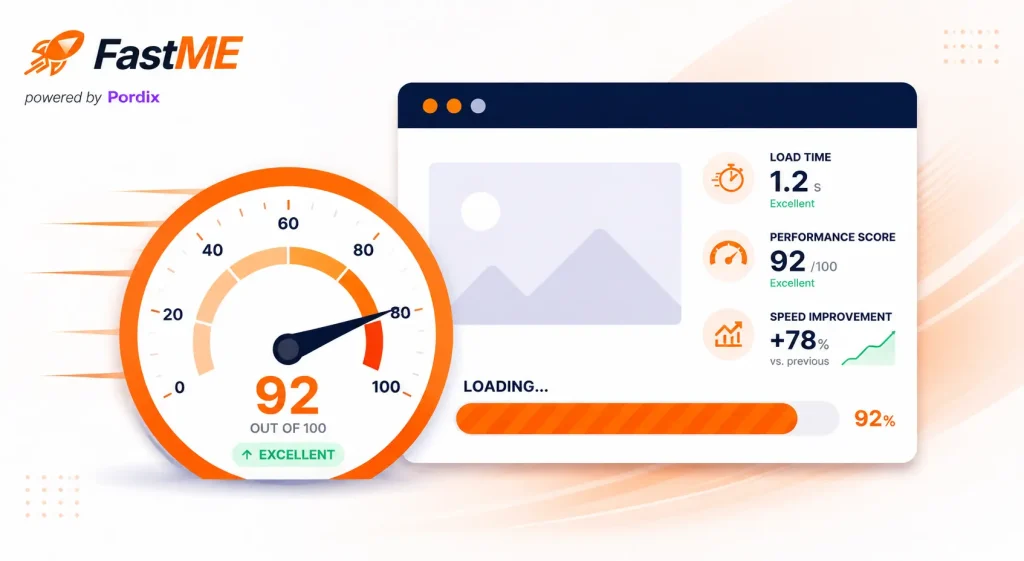
You cannot fix what you never measure. Check your current speed first. Do this before you add another plugin. A quick Core Web Vitals report shows where your pages lose time. It also shows where you can increase website loading speed the most.
Google tracks page speed with clear signals. Two key ones are Largest Contentful Paint (LCP) and Interaction to Next Paint (INP). LCP shows how fast your content appears. INP shows how fast buttons respond to a click.
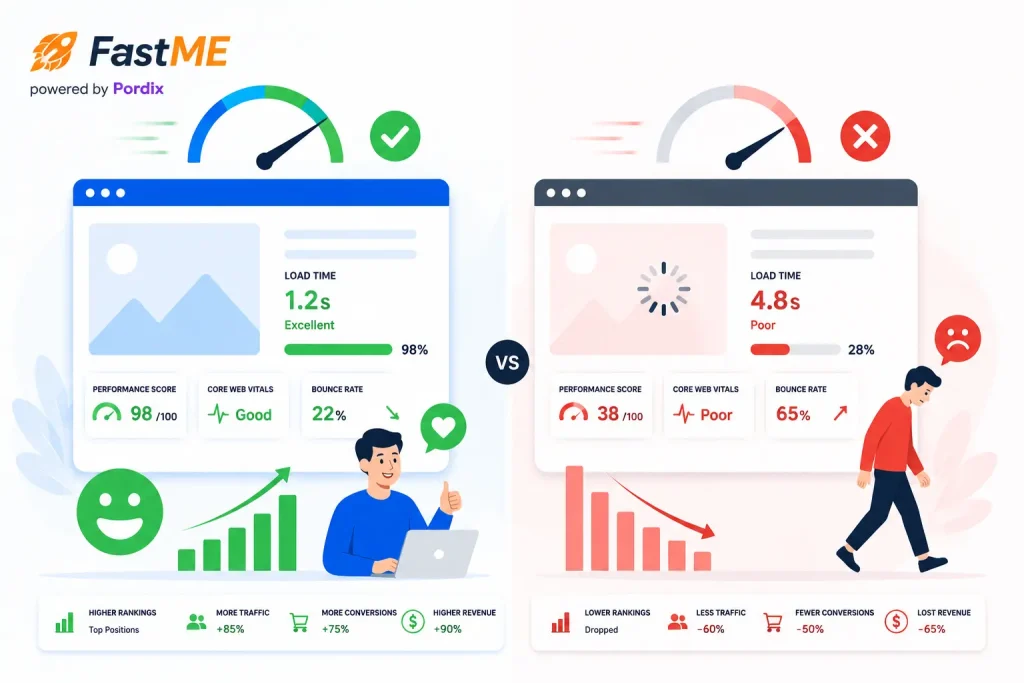
Slow pages hurt more than your rankings. They also drain your revenue:
- Visitors leave their cart when checkout buttons lag.
- Search engines lower slow pages in the results.
- Mobile users on weak networks leave within seconds.
- Every extra second of delay lowers your sales.
A fast site keeps people around longer. That tells both users and search engines that your site is worth trusting.
How to Increase Website Loading Speed: Caching vs Code Explained
There are two proven ways to increase website loading speed. One is caching. The other is code work. Most fast sites use both.
The Caching Approach: A Quick Way to Increase Website Loading Speed
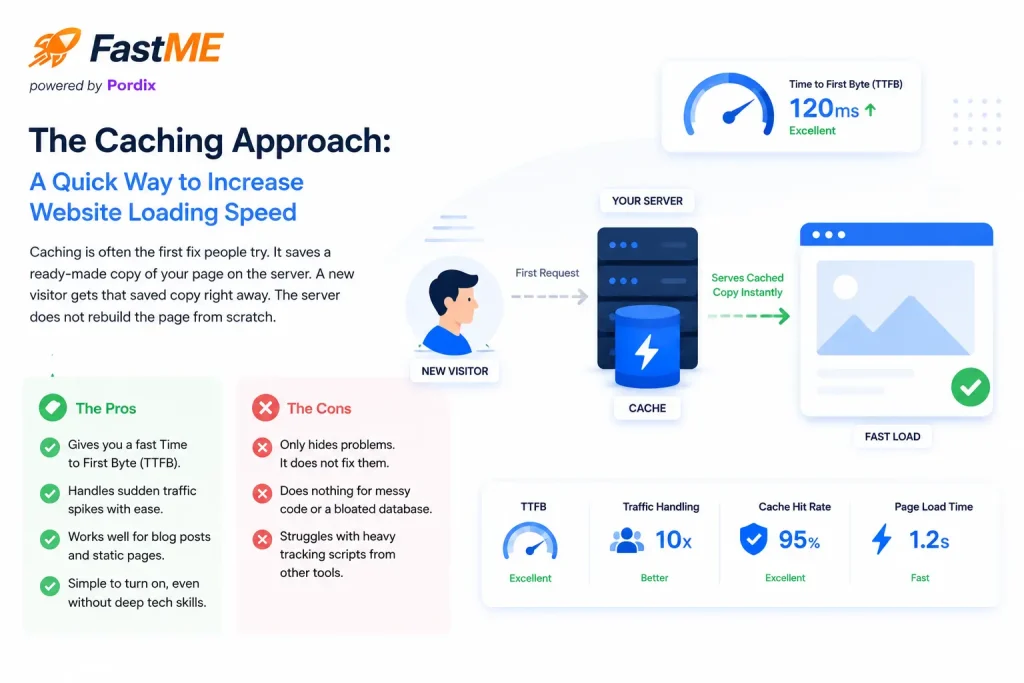
Caching is often the first fix people try. It saves a ready-made copy of your page on the server. A new visitor gets that saved copy right away. The server does not rebuild the page from scratch.
The pros:
- Gives you a fast Time to First Byte (TTFB).
- Handles sudden traffic spikes with ease.
- Works well for blog posts and static pages.
- Simple to turn on, even without deep tech skills.
The cons:
- Only hides problems. It does not fix them.
- Does nothing for messy code or a bloated database.
- Struggles with heavy tracking scripts from other tools.
The Code Optimization Approach: A Lasting Way to Increase Website Loading Speed
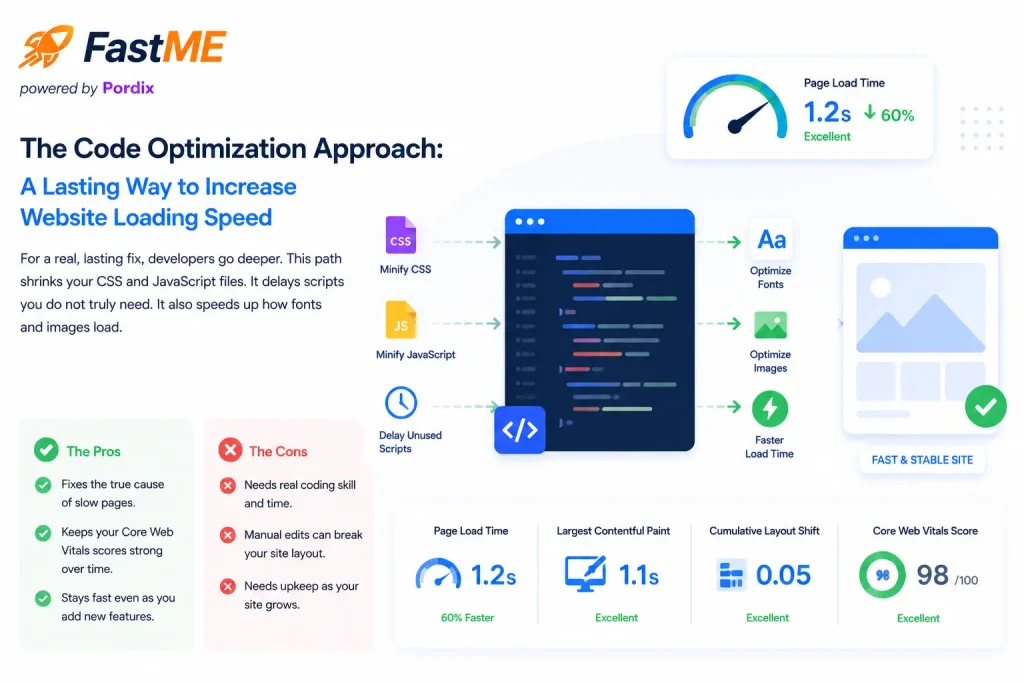
For a real, lasting fix, developers go deeper. This path shrinks your CSS and JavaScript files. It delays scripts you do not truly need. It also speeds up how fonts and images load.
The pros:
- Fixes the true cause of slow pages.
- Keeps your Core Web Vitals scores strong over time.
- Stays fast even as you add new features.
The cons:
- Needs real coding skill and time.
- Manual edits can break your site layout.
- Needs upkeep as your site grows.
7 Proven Ways to Increase Website Loading Speed
Use this simple checklist as your roadmap. Each step fixes a different problem. Work through them in order for the best results.
- Turn on page caching. Returning visitors then get instant, pre-built pages.
- Shrink your CSS and JavaScript. This cuts extra code and file size.
- Compress and lazy-load images. Images load only when a visitor scrolls to them.
- Delay scripts you do not need yet. Chat widgets and ad pixels can load after your main content.
- Pick solid hosting. Your server needs enough power for your real traffic.
- Use a content delivery network (CDN). This serves your files from a server near each visitor.
- Check your Core Web Vitals each month. This helps you catch new problems fast.
This list is one of the fastest ways to increase website loading speed without a full site rebuild.
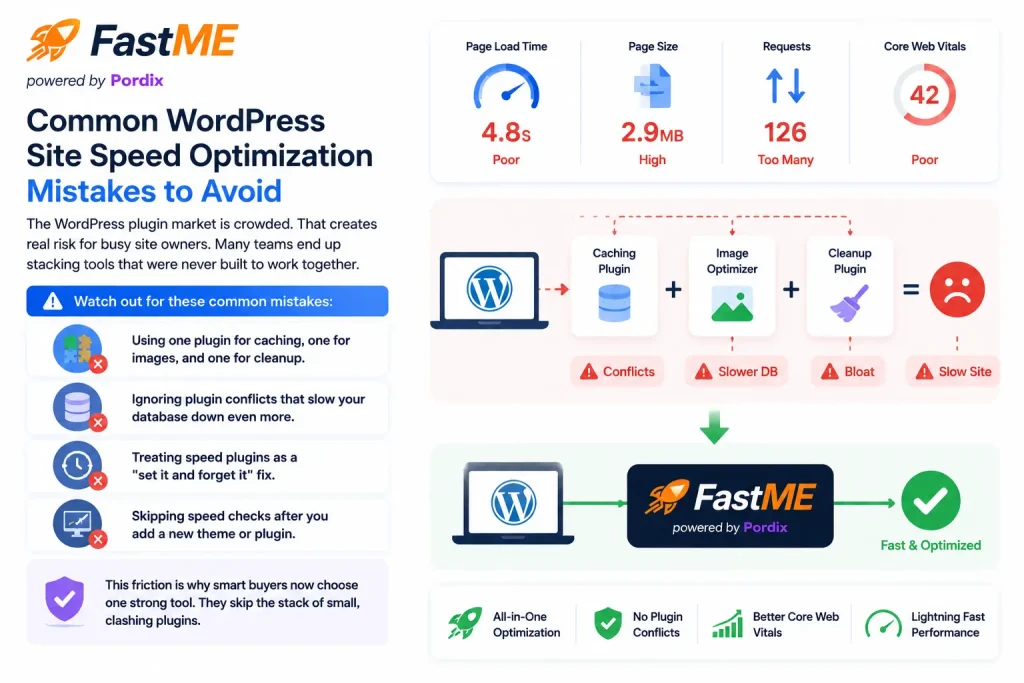
Common WordPress Site Speed Optimization Mistakes to Avoid
The WordPress plugin market is crowded. That creates real risk for busy site owners. Many teams end up stacking tools that were never built to work together.
Watch out for these common mistakes:
- Using one plugin for caching, one for images, and one for cleanup.
- Ignoring plugin conflicts that slow your database down even more.
- Treating speed plugins as a “set it and forget it” fix.
- Skipping speed checks after you add a new theme or plugin.
This friction is why smart buyers now choose one strong tool. They skip the stack of small, clashing plugins.
Fastme: An All-in-One Website Speed Optimization Plugin
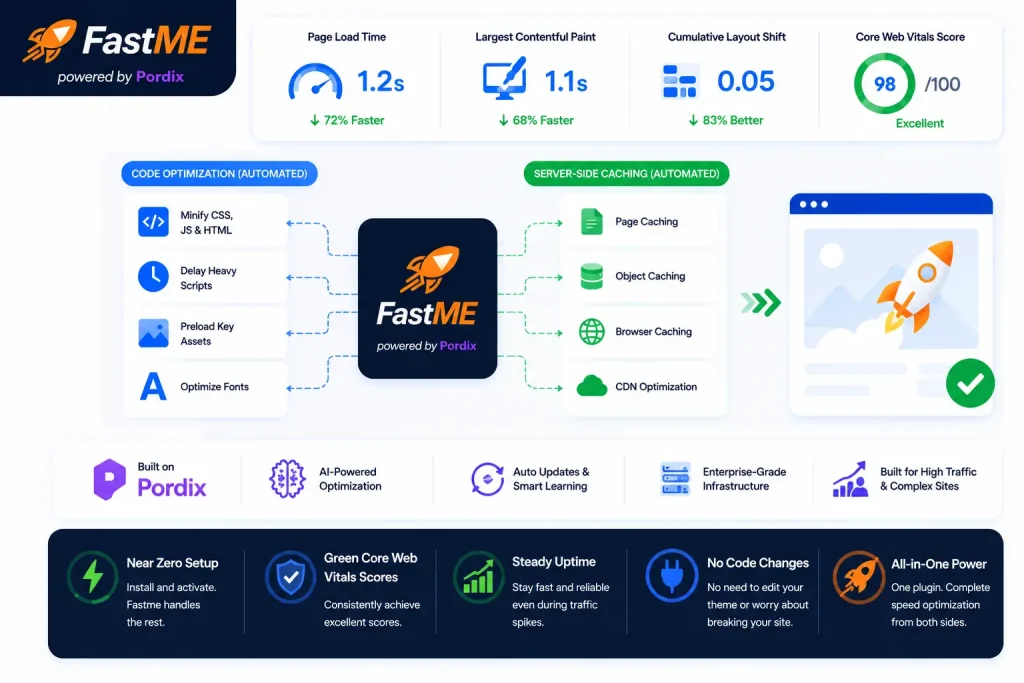
Fastme closes the gap between simple caching and risky manual code work. It is a full website speed optimization plugin. It helps you increase website loading speed from both sides at once.
Fastme speeds up your code on its own. It delays heavy scripts from other tools. It preloads key media files. At the same time, it handles server-side caching. Your team never has to touch a line of theme code.
Fastme runs on Pordix. Pordix is a SaaS AI tool builder behind a wider set of growth tools. This means Fastme is built to stay stable on busy, complex sites. It is not just for small blogs.
The result is a near zero-setup tool. It gives you green Core Web Vitals scores. It also gives you steady uptime, even during traffic spikes.
Final Thoughts on Caching vs Code
Caching versus code is not a real choice. You need both to increase website loading speed in a way that lasts. Caching gives you speed today. Code work protects that speed tomorrow.
You do not need a dozen clashing plugins. You do not need to pay a developer to fix this by hand. A tool like Fastme gives you fast Core Web Vitals. It protects your rankings. It helps you grow traffic without touching a line of code.
Frequently Asked Questions
What is the difference between caching and code optimization?
Lorem ipsum dolCaching gives visitors a saved copy of your page. This speeds up load time right away. Code work fixes the true cause of slow pages, like messy files and extra scripts. Fast sites use both.or sit amet, consectetur adipiscing elit. Ut elit tellus, luctus nec ullamcorper mattis, pulvinar dapibus leo.
Can I just install multiple WordPress speed plugins to fix my site?
This often backfires. When one plugin handles caching, one handles images, and one delays scripts, they can clash. This adds extra bloat to your database. One strong tool works better.
Why are Core Web Vitals important for my website speed optimization strategy?
Core Web Vitals are the scores Google uses to judge real user experience. They track how fast your biggest image loads. They track how fast buttons respond. Weak scores can lower your rankings and hurt sales.
How does Fastme improve on traditional caching plugins?
Most plugins only handle basic caching. Fastme also speeds up your code. It delays heavy scripts. It preloads key files. It does all this without any manual edits to your theme.
What is Pordix, and how does Fastme fit into its ecosystem?
Pordix is a SaaS AI tool builder that helps sites grow. Fastme is its speed tool. It is built to protect your Core Web Vitals and help your site scale traffic with ease.