
Know How Website Speed Impacts SEO, Sales, and User Experience
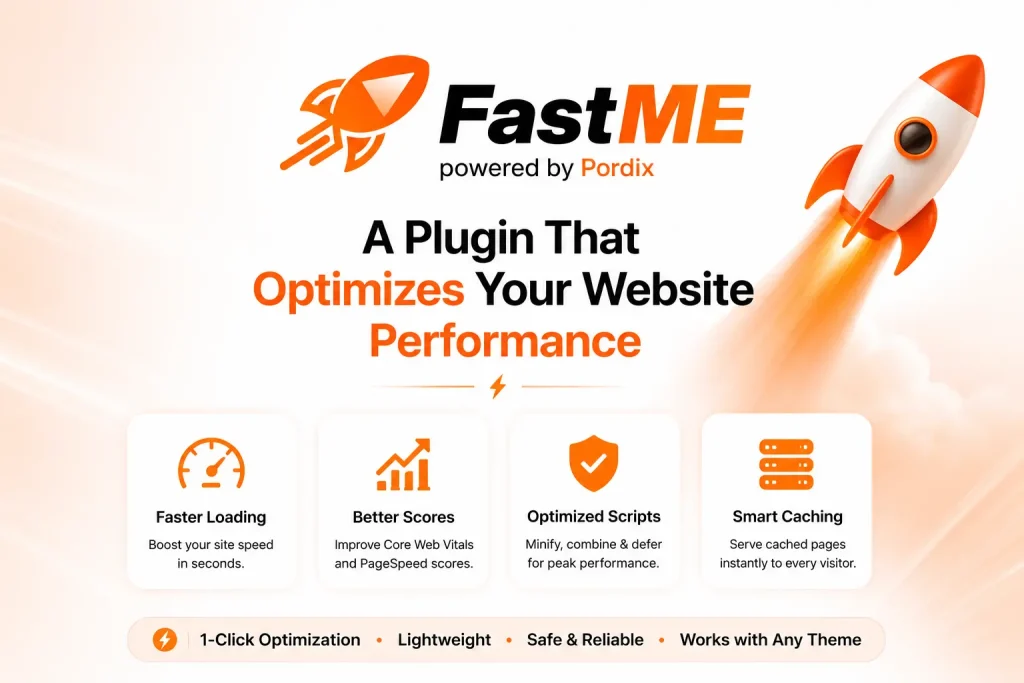
Is your website taking too long to load? Every extra second can frustrate visitors, reduce engagement, and cost your business valuable opportunities. Many website owners ask, “Why is my WordPress site so slow?” They update plugins, change themes, and clear caches, yet the real cause often goes unnoticed. In today’s competitive online market, users expect fast, responsive websites. If your pages load slowly, many visitors will leave before they even see what you offer.
Fastme helps businesses solve this challenge by improving website performance and optimizing Core Web Vitals. A faster website creates a better user experience, supports stronger SEO, and can help increase conversions over time. In this guide, you’ll learn the true cost of slow load times, how website speed affects traffic and sales, and why improving performance is essential for long-term digital growth.
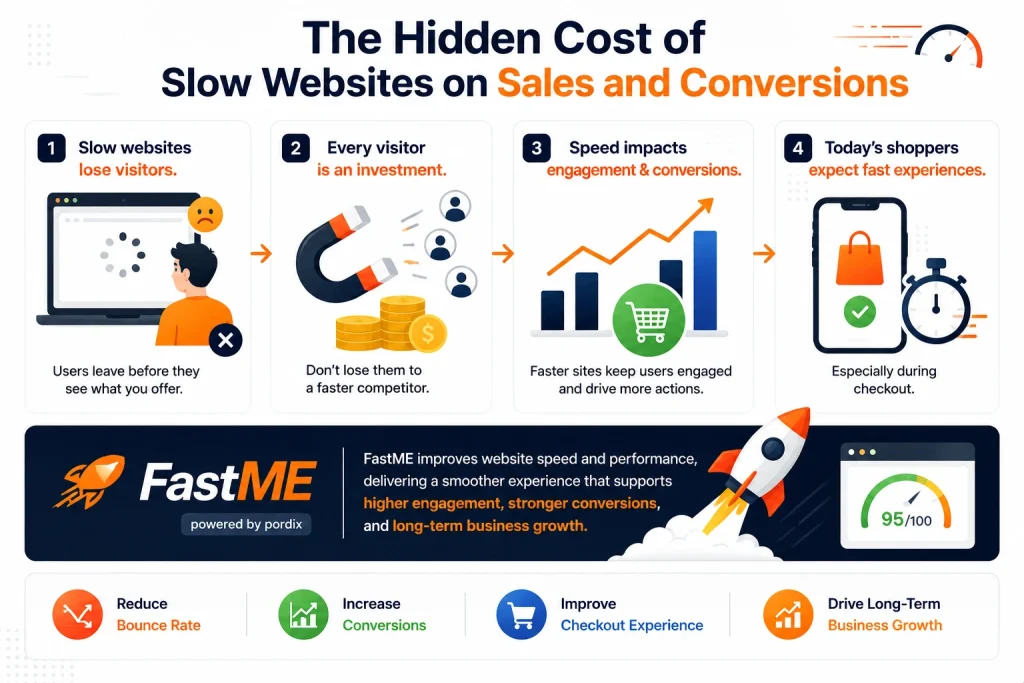
The Hidden Cost of Slow Websites on Sales and Conversions
Website speed has a direct impact on how visitors interact with your business. When pages take too long to load, many users leave before exploring your products or services. If you’re trying to reduce your bounce rate, improving website performance is often one of the most effective places to start. Today’s shoppers expect fast, responsive experiences, especially during checkout.
Every visitor you attract through SEO, paid ads, or social media represents an investment. If your website loads slowly, some users may leave before taking action and choose a faster alternative instead. Fastme helps improve website speed and performance, creating a smoother user experience that can support higher engagement, stronger conversions, and long-term business growth.
Common Reasons Your WordPress Site Is Running Slow
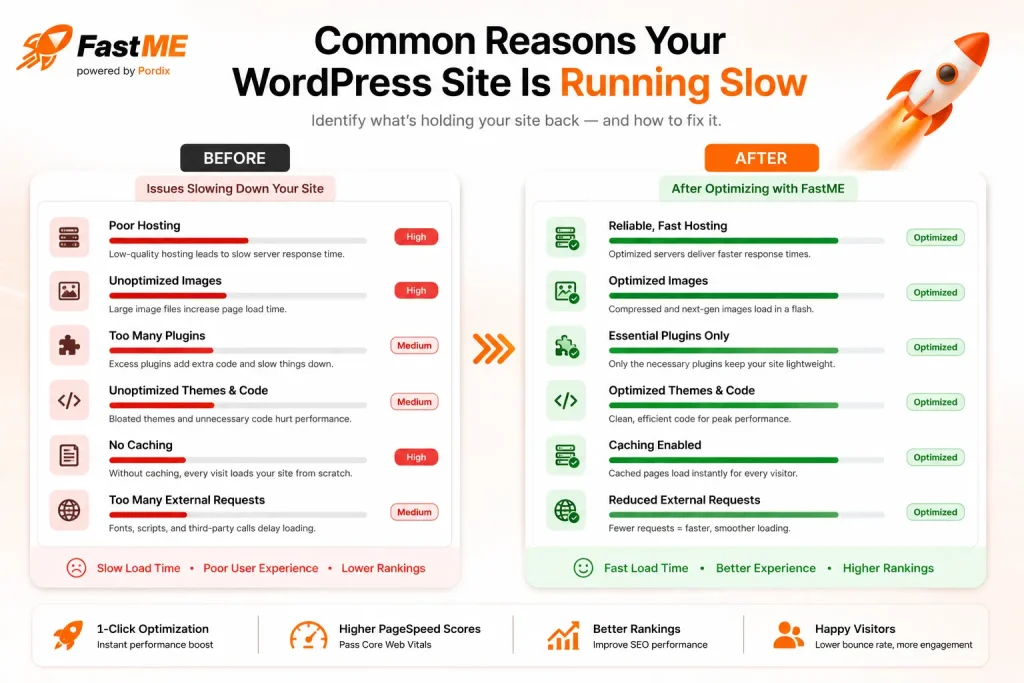
A sudden drop in website speed can be frustrating, especially if your site was performing well before. If you’re wondering, “Why is my WordPress site so slow?”, several common issues could be affecting your website’s performance. In many cases, the slowdown appears after changes are made to the site or as content and features continue to grow over time.
Some of the most common causes include:
- Too many plugins: Running unnecessary or poorly optimized plugins can increase page load times.
- Large image files: Uncompressed images require more time to download, slowing every page.
- Heavy themes and page builders: Feature-rich themes and builders often load extra scripts and styles.
- Outdated plugins or themes: Older software may reduce performance or create compatibility issues.
- Slow web hosting: Limited server resources can delay page loading, especially during traffic spikes.
- Too many external scripts: Third-party tools such as ads, chat widgets, analytics, and tracking pixels can add extra requests.
- No caching enabled: Without page caching, WordPress generates pages from scratch for every visitor.
- Large databases: Over time, unnecessary revisions, spam comments, and temporary data can slow database queries.
Identifying these issues is the first step toward improving website performance. Tools like Fastme can help analyze your site’s speed, identify performance bottlenecks, and recommend practical optimizations for a faster, smoother user experience.
How to Fix High Total Blocking Time Before It Kills Your SEO
Is your website failing Core Web Vitals because of high Total Blocking Time (TBT)? Many website owners discover that their desktop performance scores drop even when their pages appear to load quickly. One common reason is a high Total Blocking Time (TBT), which occurs when heavy JavaScript blocks the browser and delays user interactions like clicking, scrolling, or typing.
Reducing Total Blocking Time can feel complicated, especially if you rely on manual code changes or multiple optimization tools. Fastme simplifies this process by helping identify performance bottlenecks and improve website responsiveness. In this guide, you’ll learn what causes high TBT, why it matters for Core Web Vitals and SEO, and the practical steps you can take to create a faster, more responsive website.
Why Fastme Is the Smarter Way to Speed Up WordPress
Managing website speed shouldn’t require hours of manual work or technical expertise. FastMe automates WordPress speed optimization, helping you improve performance without editing code or configuring complex caching tools. It optimizes your website in the background by delaying unnecessary scripts, preloading critical assets, and improving page speed, so you can focus on growing your business instead of fixing technical issues.
Real Performance Improvements with FastMe
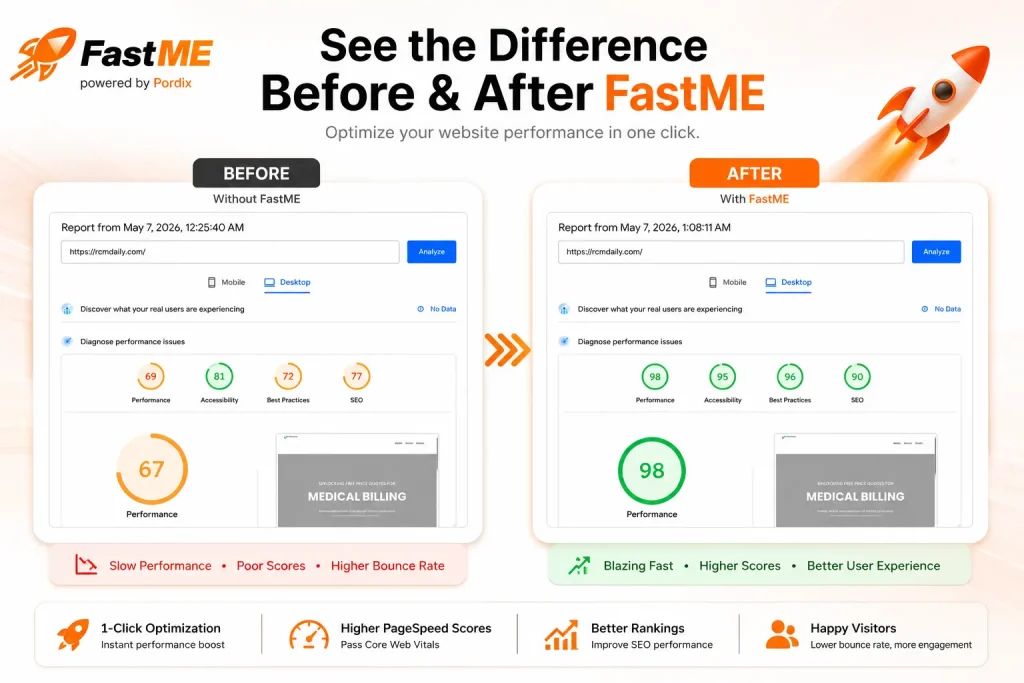
We do not just talk about speed. We actually prove it. Running a heavy site through Google PageSpeed Insights is tough. It is very hard to break out of the red zone. Look at the performance screenshots below. Before activation, this standard setup was struggling. It had failing Core Web Vitals and a massive Total Blocking Time. The low performance score was actively harming its search rank.
Then, we installed the plugin in minutes. We did not touch a single line of code. Those exact pages transformed instantly. The after screenshots show a huge jump straight into the green 90+ percentile. The Largest Contentful Paint (LCP) dropped to under a second. The rendering delays vanished completely. This is what a true, automated fix looks like.
Ready to Improve Website Speed? Try FastMe
Every day your website remains slow is a missed opportunity to deliver a better experience for your visitors. Faster websites keep users engaged, improve navigation, and support stronger SEO and conversion performance. Instead of spending time troubleshooting complex performance issues, choose a solution that simplifies website optimization and helps your business grow with confidence.
FastMe makes WordPress speed optimization simple. It automates performance improvements, helps optimize Core Web Vitals, and creates a faster, more responsive experience for your visitors. Whether you’re looking to improve search visibility, reduce bounce rates, or increase customer engagement, FastMe provides an easy way to build a faster website and support long-term business growth.
FAQs
Why is my WordPress site so slow all of a sudden?
Recent theme updates, unoptimized heavy images, or a buildup of bulky database queries usually cause a sudden drop in WordPress speed. Adding new third-party tracking scripts or flashy widgets can also overwhelm your hosting server and severely delay your page loading times.
Does website loading speed actually affect sales?
Yes, website speed directly impacts your daily sales. Shoppers expect instant gratification, and pages taking longer than three seconds to load experience a massive increase in bounce rates. Slow, hesitating checkout pages frustrate buyers, leading directly to abandoned carts and lost revenue.
How do I fix high Total Blocking Time in WordPress?
To fix high Total Blocking Time (TBT), you must delay non-critical JavaScript, minimize main thread work, and optimize your CSS delivery. Instead of manually editing sensitive server files, you can use an automated performance tool to handle these complex code adjustments in the background safely.
Does Elementor make your website slow?
Elementor is a powerful design builder, but it can make your website slow by generating excessive code bloat and heavy DOM elements. To keep your Elementor site running fast, you need a specialized speed optimization tool that bypasses the heavy code so your designs render instantly.
How can I speed up my WordPress site without coding?
The easiest way to speed up your site without touching a single line of code is by installing the FastMe WordPress plugin. Powered by Pordix, FastMe provides a complete, one-click automated setup that delays heavy scripts, preloads visual assets, and instantly passes Google’s Core Web Vitals to protect your rankings.